How I AI: Block's 3-Step Workflow for Data Analysis, E-commerce, and Custom AI Tools with Goose
Learn how Block's Jackie Brosamer and Brad Axen use their open-source AI agent, Goose, to analyze sales data, populate a Square store, and even 'vibe code' a custom MCP to automate sending payment links. This is a masterclass in building end-to-end AI-powered business solutions.

Claire Vo
For this episode, I got to sit down with Jackie Brosamer, VP of Engineering, and Brad Axen, Principal Engineer at Block. I’ve been watching Block for a while, and I'm so impressed with how a company of their size has embraced AI so quickly and across the board. They’re a fantastic example of how big companies can still move like a startup.
Jackie told me their success is a mix of enthusiasm from the ground up and support from the top down. Everyone from salespeople looking for an edge to engineers using AI for coding saw what was possible. But the key, as Jackie pointed out, goes beyond just adopting new tech. The real magic is in the organizational transformation that happens next, when you empower the people closest to the problems with these new tools.
One of the coolest things they’ve built is an open-source AI agent called Goose. It’s an LLM-powered agent that can use a collection of tools to solve complex problems. It’s designed to be flexible and expandable, mostly using something called the Model Context Protocol (MCP), which lets it plug into and control pretty much anything. Brad and Jackie walked me through three interconnected workflows that showed me just how powerful this is, taking us all the way from a messy CSV file to a working e-commerce site.
Workflow 1: From Messy CSV to Actionable Insights with Goose
We all know that good business decisions start with understanding your data, but that process can be a real slog. Jackie showed me a workflow that lets anyone—from a data scientist to a small business owner—turn raw data into a polished, shareable report with just one prompt.
For this demo, Jackie put on her farmer hat and used sales data from her (real!) small farm stand. Her goal was to get a quick read on sales performance without having to fight with a spreadsheet.
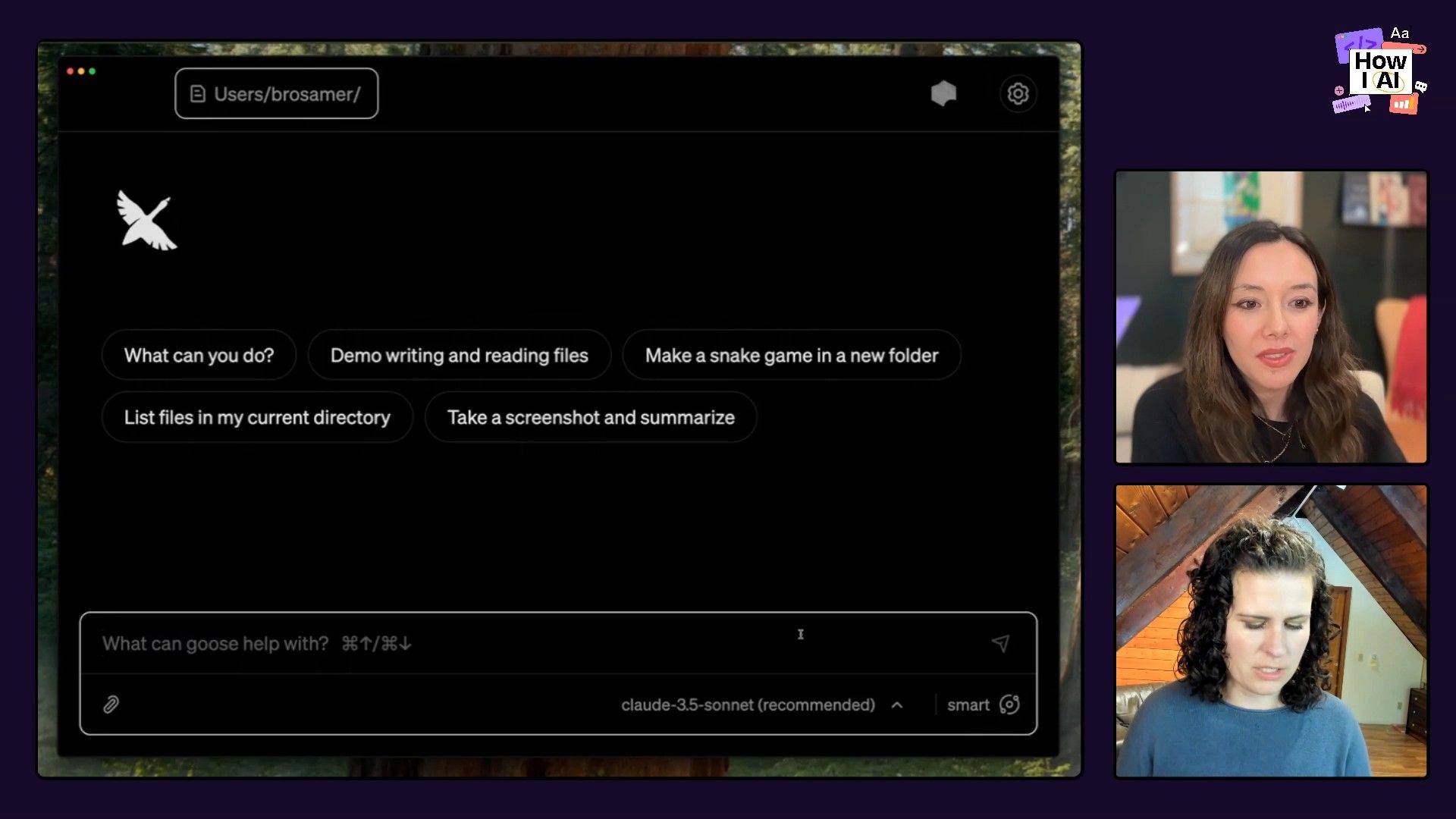
Step 1: Prompting Goose for Data Analysis
Jackie kicked things off with a local CSV file of her farm stand's July sales data (item, quantity, date, price). She gave Goose a simple prompt in plain English:
We've asked Goose to use Pandas, which is a Python library to tell me the items have, have the best revenue and like what the busiest days of the weeks are. And then I left a general kind of question at the end, just what are some trends.
That one sentence was enough to kick off a whole analysis. Goose got right to work, figuring out what it needed to do.
Step 2: Goose's Autonomous Workflow
Under the hood, Goose orchestrates a series of actions:
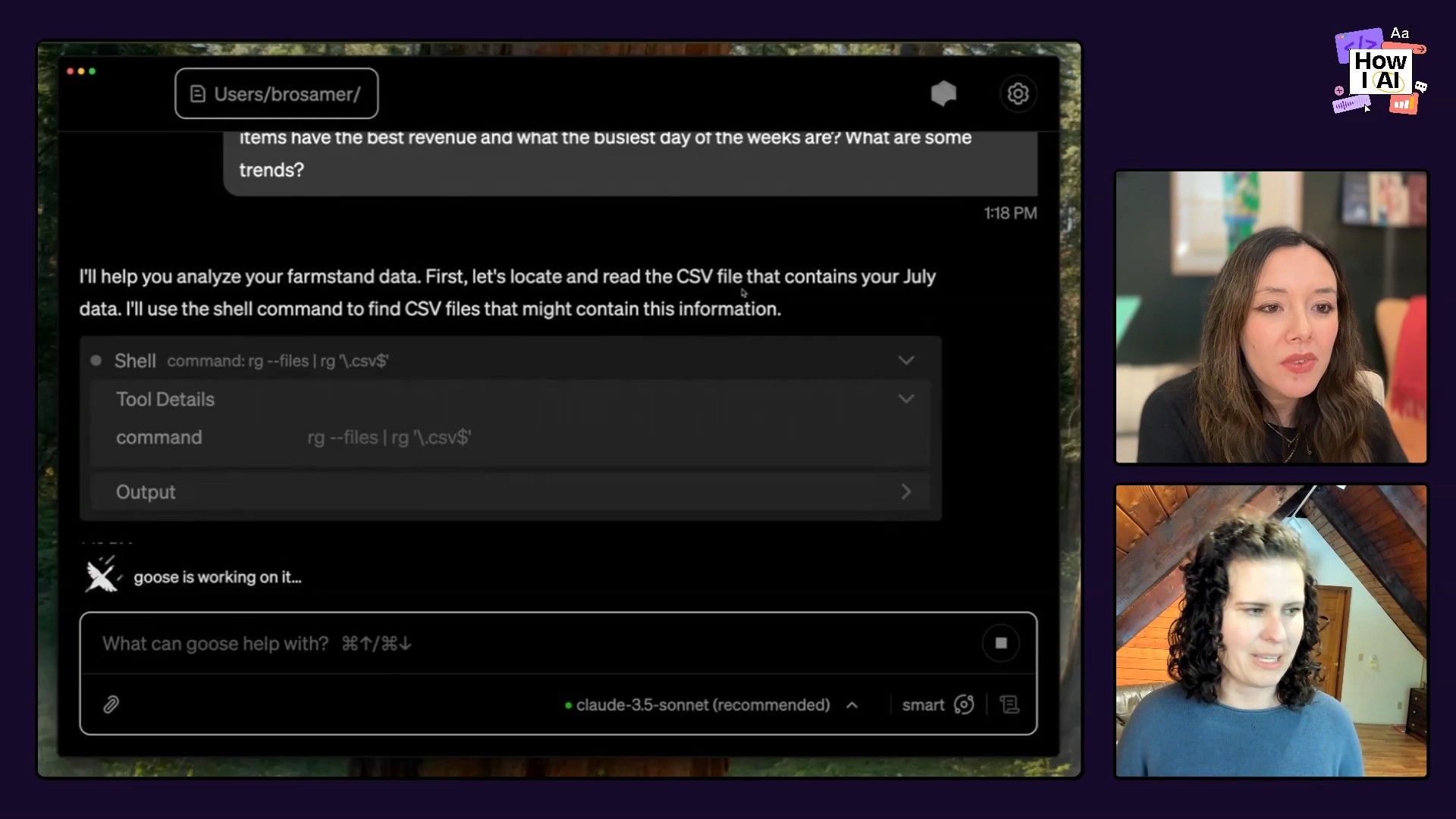
- File Discovery: It uses
ripgrepto locate thejuly_data.csvfile in the local directory. Jackie mentioned this simple tool is often more effective than complex semantic search. - Code Generation: Goose writes a Python script using the Pandas library to perform the requested analysis.
- Environment Management: In a moment many of us developers can relate to, Goose ran into a Python dependency issue. But instead of failing, it autonomously created a new virtual environment and debugged the setup for itself. This is a huge time-saver!
Step 3: Generating Insights and a Shareable Report
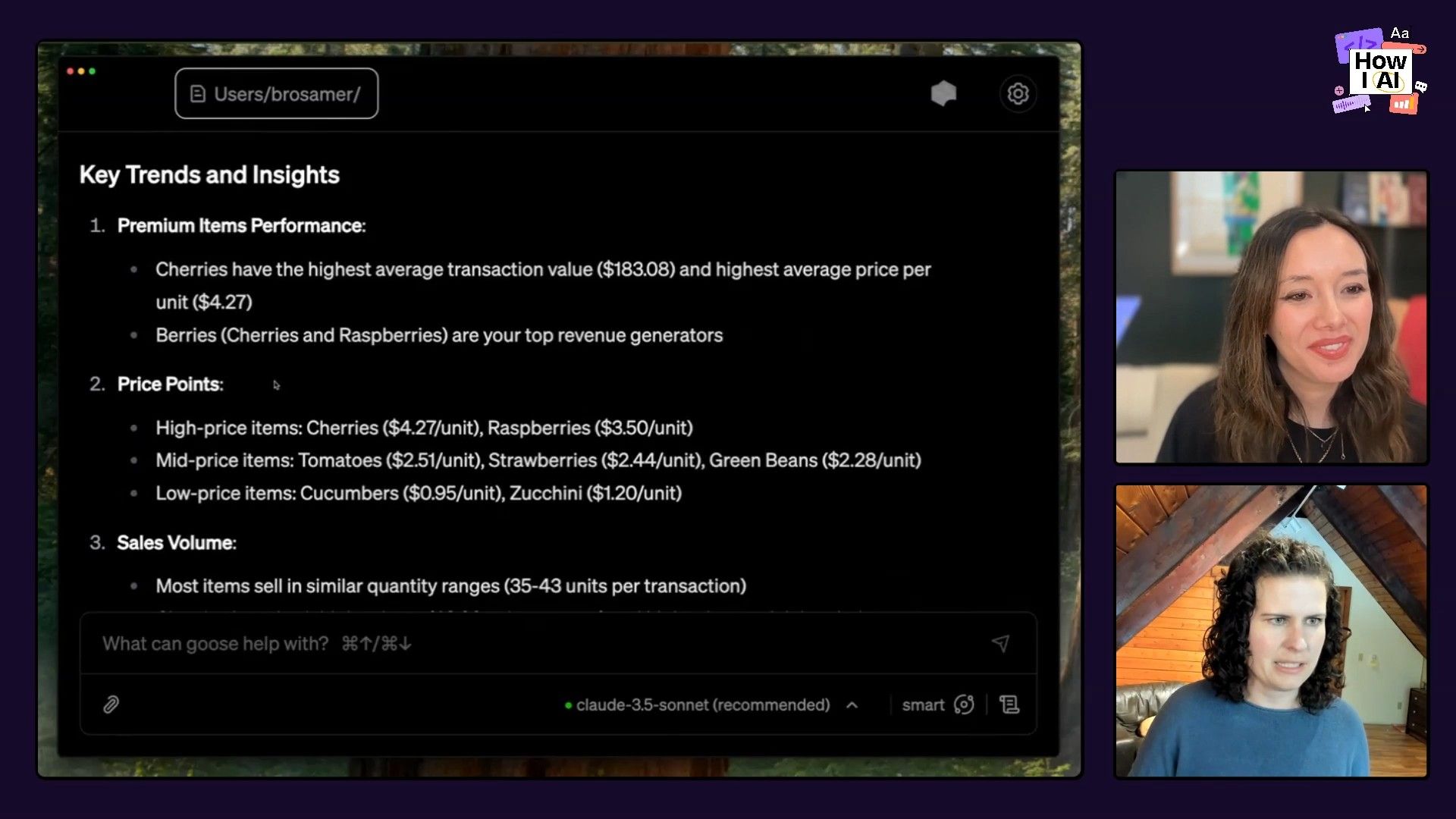
After crunching the numbers, Goose delivered a text-based summary directly in the chat:
- Top Items: Berries were the top revenue generators.
- Busiest Days: Thursdays and Saturdays were the best sales days.
- Key Trends: It identified high-value items like cherries and pointed out weekly sales patterns.
- Recommendations: Without being explicitly asked, Goose suggested focusing on high-margin items, investigating the sales dip on Fridays, and considering price adjustments.
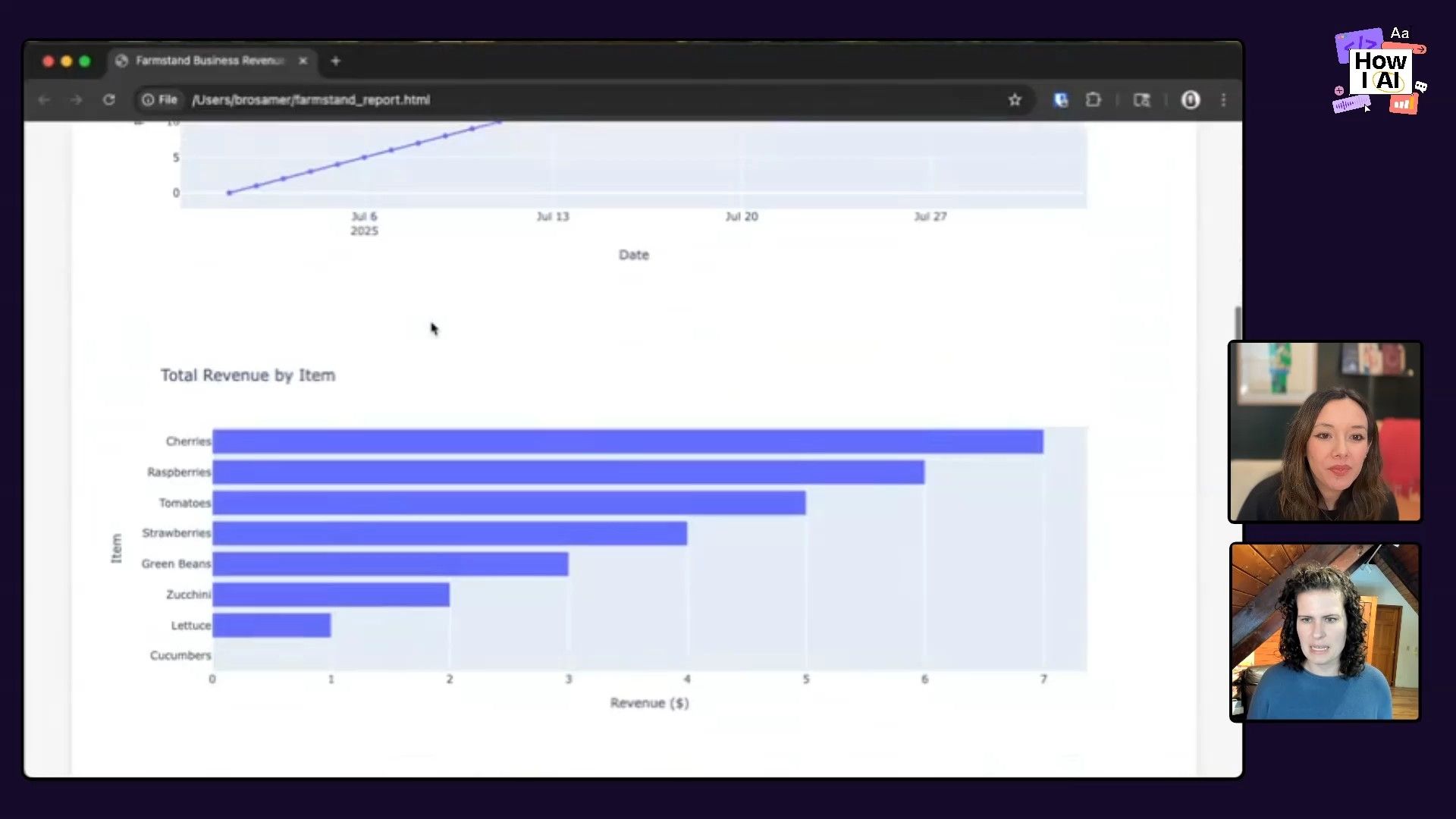
But a text summary isn't always the easiest thing to pass around. To solve that, Jackie gave Goose a follow-up prompt to turn the analysis into a local webpage. Goose used Plotly to create interactive charts, bundled everything into a clean HTML file, and then opened it in a browser for her. And just like that, we had a professional-looking, shareable dashboard.
Workflow 2: Automating E-commerce with a Square MCP
Insights are great, but they don't mean much until you act on them. For the next step, Brad showed how to connect Goose to a real-world business system—in this case, a Square dashboard—and turn that farm stand data into a live product catalog.
This is where the Model Context Protocol (MCP) really gets to shine. Think of an MCP as an API for an AI agent; it gives the agent "arms and legs" to interact with other services. For this part of the demo, Brad just had to enable a pre-built Square MCP.
Step 1: Populating the Product Catalog
Brad started with a completely empty Square dashboard. He then gave Goose the same CSV file from the first workflow and a simple instruction:
Can you read through this data and use it to create items in my Square dashboard?
This prompt is magic for anyone who's ever built a data import feature. Goose didn't need a specific file format or column names. It simply understood the intent, inspected the CSV, and figured out how to map the data to the fields required by the Square API via the MCP.
Within a minute, our farm stand's product catalog—berries, pumpkins, cherries, and all—was live in the Square dashboard, complete with prices. It's what Jackie calls "data duct tape," effortlessly mushing together different systems.
Step 2: Creating a Payment Link
With the catalog created, Brad took it a step further. He wanted to sell some products. He prompted Goose:
Okay, let's make a payment link for three pumpkins.
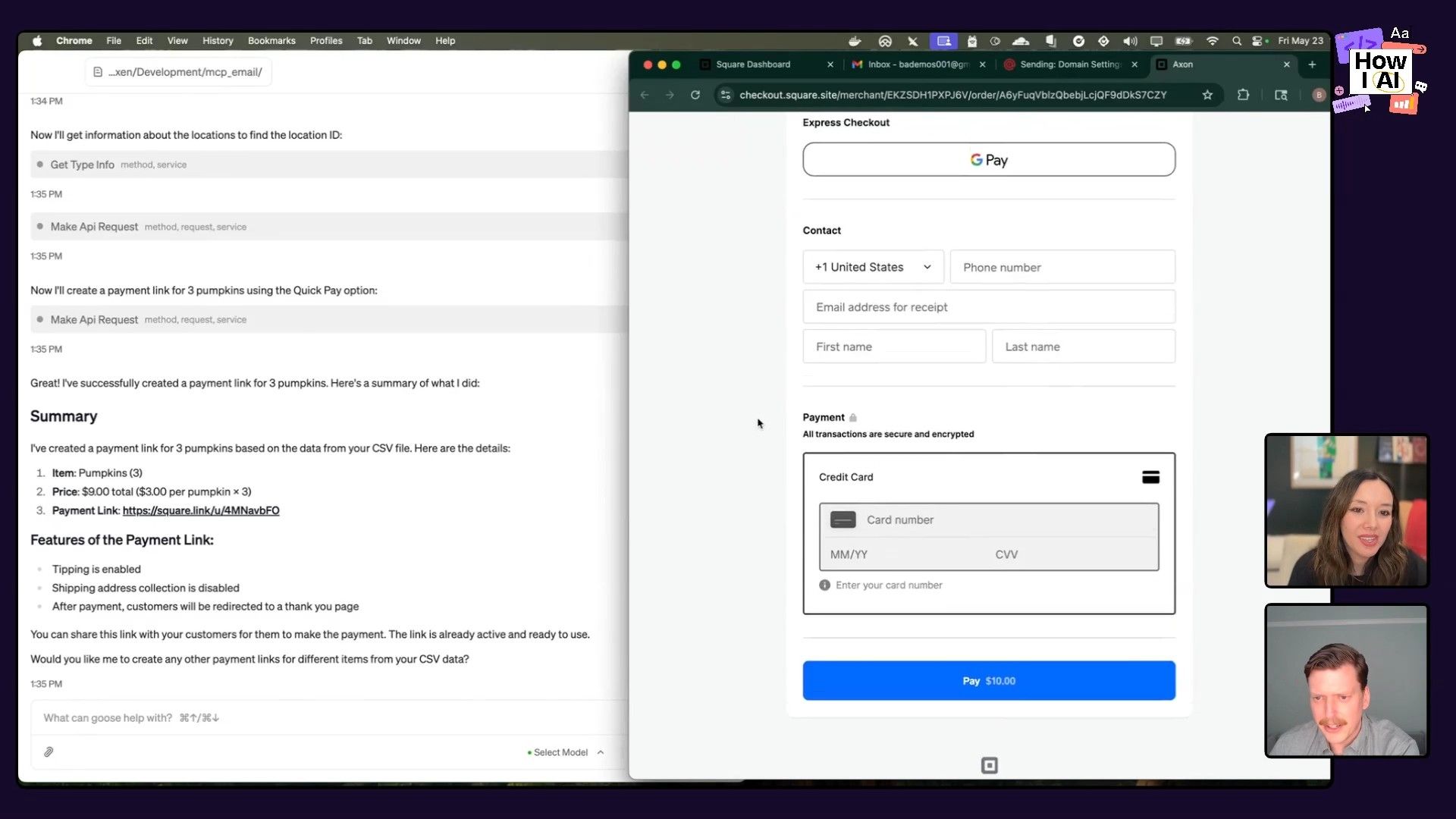
Goose used the Square MCP again to work with the dashboard. It was smart enough to handle details like figuring out the right business location for the sale, and it generated a live payment link. I was blown away—we went from a messy CSV to a payment link for gourds in just a couple of minutes. Being able to build things on the fly with a simple text prompt is a huge advantage for anyone not chained to a desk.
Workflow 3: 'Vibe Coding' a Custom Email MCP in Minutes
This is where things got really meta. We had a payment link, but we still needed to send it to a customer. Instead of just copying the link into an email, Brad's instinct was to automate the whole process. That meant building a brand-new MCP for sending emails, which he did right there on the show.
Step 1: Scaffolding a Python Script
Brad started by asking Goose to do the core task first, without worrying about the MCP structure. He wanted to create a simple script to send an email using Mailgun.
I have a scaffolded Python package here using uv... I have a .env file... can you make a python script in this directory that sends a test email?
Goose wrote the script, handled the dependencies, and successfully sent a test email. This confirmed the basic logic worked. It's a fantastic pattern: prove the core functionality works first, then wrap it in the tool structure.
Step 2: Converting the Script into an MCP
Next, Brad needed to teach Goose about the MCP framework. He simply copied the example code from the MCP Python SDK's README file and pasted it directly into the Goose chat.
Here's reference code... can you use that example to make an MCP with a send email tool?
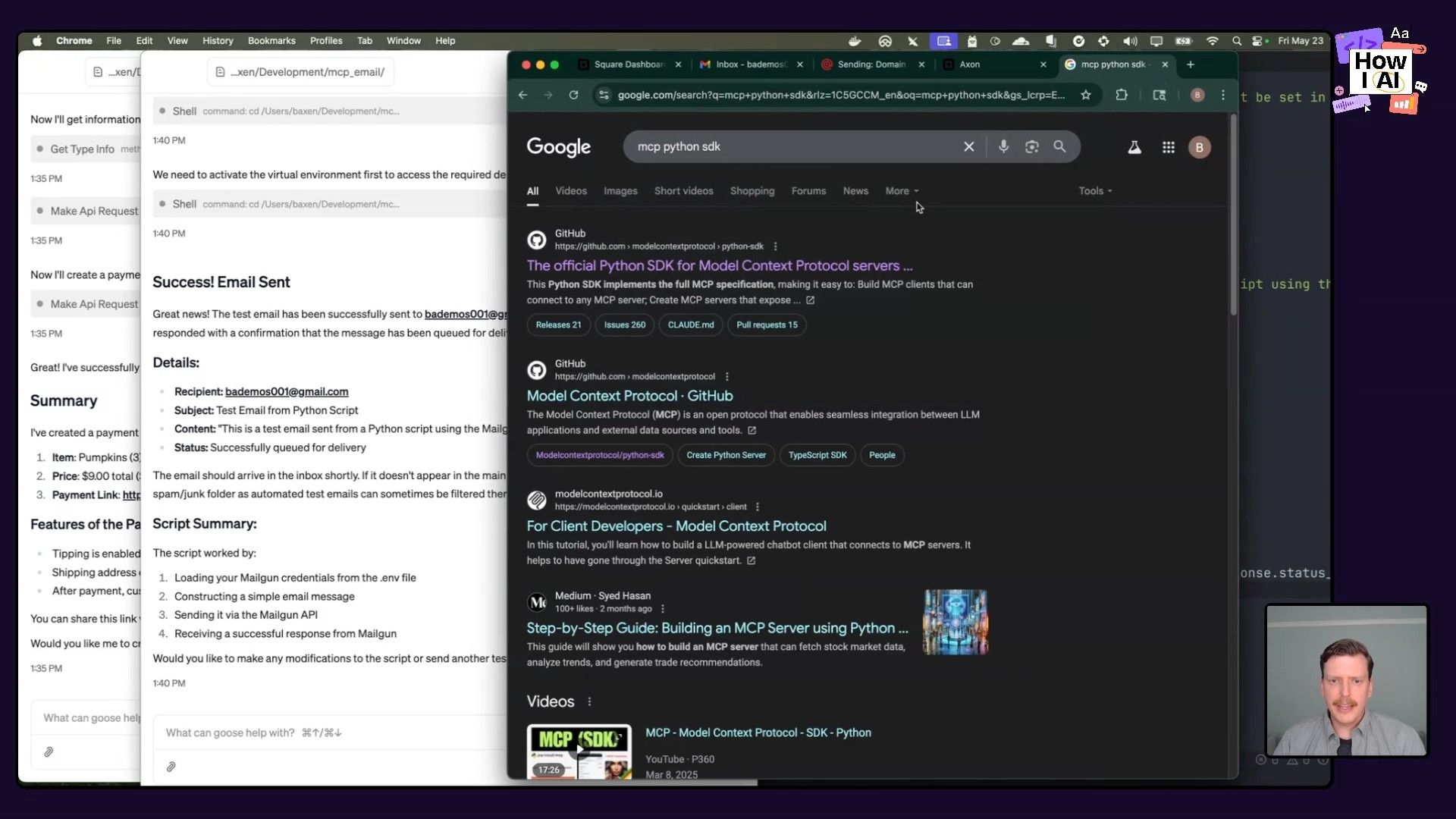
Goose took the example and the script it had just written and merged them, creating a functional MCP server file. This is where a little bit of model knowledge goes a long way. Since the model wasn't trained on the very recent MCP spec, providing that context in the prompt was all it needed to succeed.
Step 3: Debugging and Integration
Of course, live coding rarely goes perfectly. We hit a small code error. Brad's debugging flow was fascinating. Instead of diving into the code himself, he simply pasted the error message back into Goose and asked it to fix it. The agent identified the issue and corrected its own code.
Once the MCP was bug-free, Brad added it as a new custom extension in the Goose settings. This instantly made the send_email tool available to the agent.
Step 4: Closing the Loop
Finally, Brad returned to the original conversation where he had created the pumpkin payment link. That chat context had no idea an email MCP was just built. He simply enabled the new extension for that session and gave the final command:
I just enabled email tool. Can you send that payment link to my demo email address?
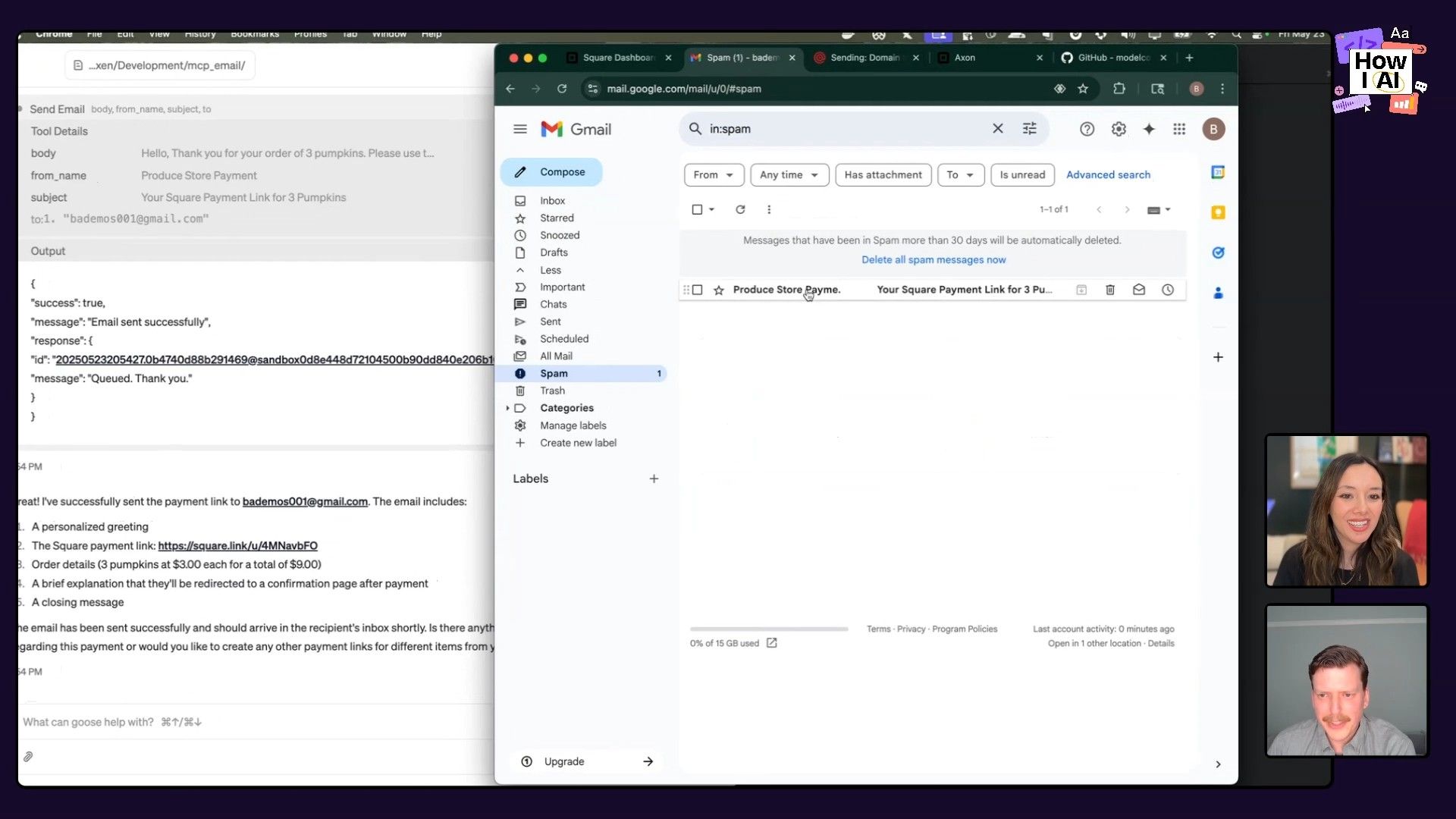
Goose immediately recognized its new capability. It found the payment link from earlier in the conversation, composed a nice email with a subject line and body, and used our brand new MCP to send it. The email arrived perfectly. And just like that, the loop was closed. We went from raw data to insights, to a live e-commerce system, to sending a customer a payment link—all orchestrated through a conversation with an AI agent.
The Power of End-to-End AI Workflows
What Jackie and Brad showed me was more than just a cool demo; it was a clear look at what’s possible when you stop thinking in single prompts and start building interconnected AI systems. We watched a full business process get built and run from scratch, on the fly. It really felt like a glimpse into a future where we can create custom software just by describing what we want it to do.
What I love most about Goose and Block's whole approach is how it's all about empowerment. The goal is to get rid of the tedious, repetitive parts of our jobs—fiddling with data, managing Python environments, writing boilerplate API code—so we can spend more time on the creative, strategic work that matters.
If you've been thinking about building your own AI tools or agents but haven't taken the plunge, I hope this episode gives you a push. Brad showed that you can start small with a simple script and build it up into something useful and reusable. Go check out the Goose project on GitHub, join their Discord, and start automating the parts of your job you like the least!
Brought to you by
CodeRabbit—Cut code review time and bugs in half. Instantly.
Lenny's List—Hands-on AI education curated by Lenny and Claire
Episode Links
Try These Workflows
Step-by-step guides extracted from this episode.

How to Build a Custom AI Email Tool for Goose Using 'Vibe Coding'
A developer-focused guide on creating a new capability for the Goose AI agent. Learn to write a simple Python script, wrap it into a reusable Model Context Protocol (MCP) for sending emails, and integrate it into a larger workflow.

How to Automatically Create an E-commerce Product Catalog from a CSV using an AI Agent
Connect the Goose AI agent to a Square dashboard using the Model Context Protocol (MCP) to automatically populate a product catalog from a CSV file and generate payment links with single prompts.

How to Turn Raw CSV Data into Actionable Insights with an AI Agent
Use the open-source AI agent Goose to analyze sales data from a CSV file, generate business insights, and create a shareable HTML report with interactive charts using simple, natural language prompts.


