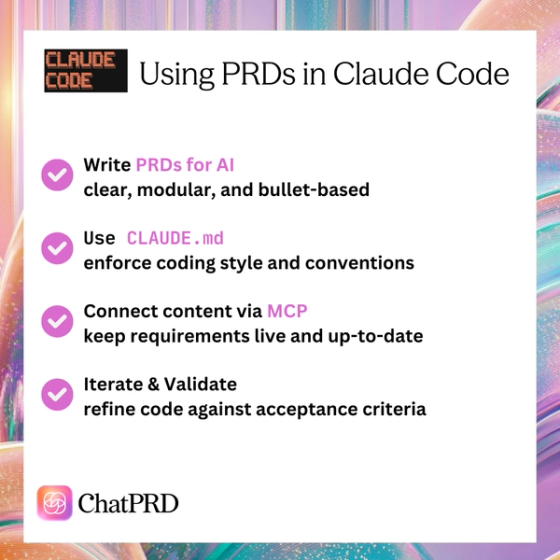
Introduction to Claude Code & AI-Assisted Development
AI-assisted development is transforming how teams design, build, and ship software. Claude Code—Anthropic’s dedicated coding interface for Claude—is a prime example. It’s not just an editor; it’s a conversational coding environment designed to understand your project context, apply reasoning across multiple files, and execute detailed multi-step coding tasks.
Claude Code can refactor, debug, and implement features from high-level descriptions, but its accuracy depends on the quality of its inputs. A Product Requirement Document (PRD) is one of the most important of those inputs. A PRD is your development blueprint—it defines features, technical constraints, success criteria, and business logic.
When paired with ChatPRD’s Model Context Protocol (MCP) integration, Claude Code gains live access to your PRD—meaning it always references the most up-to-date requirements without you having to paste them in manually. This combination dramatically reduces drift between your vision and the code Claude produces.
In short: A strong PRD keeps both humans and Claude aligned on what to build, while MCP ensures the AI is never working from outdated information.
Structuring PRDs for Claude Code
Claude Code—and any LLM—interprets structured, modular documentation far better than unstructured prose. Think of your PRD not only as a guide for your developers, but also as an input format for an AI model.
Here are best practices for making your PRD Claude-friendly:
Use Clear Sections
Break your PRD into predictable headings:
- Introduction
- Problem Statement
- Solution/Feature Overview
- User Stories
- Technical Requirements
- Acceptance Criteria
- Constraints
With MCP, Claude can be prompted to fetch only the “Acceptance Criteria” section or just “Technical Requirements,” which works best when those sections are clearly labeled.
Write Sharp User Stories
Keep each user story atomic:
- As a project manager, I want to tag tasks with priority levels so I can filter them easily.
Avoid long paragraphs with multiple requirements inside them—Claude may miss or blend details.
Explicit Acceptance Criteria
List criteria as bullet points for clarity:
- The “High Priority” tag appears in red.
- Tasks can be filtered by priority on the main dashboard.
- Filtering persists on page refresh.
Bullets act like discrete checkboxes Claude can “tick” in its implementation.
State Constraints and Non-Negotiables
If you have hard technical or business boundaries, call them out:
- Must use OAuth 2.0 for authentication.
- Support at least 10,000 concurrent sessions.
- No external cloud services due to compliance.
Claude will avoid suggesting anything that violates these when the constraints are clear.
Include Technical Specs & Business Logic
Document:
- APIs and their parameters
- Data models with field names and types
- Architecture diagrams
- Key formulas or rules (e.g., pricing logic)
Claude can then directly implement these without inventing details.
Use Consistent Formatting
If you number user stories (US1, US2, etc.), keep that style consistent. If you start acceptance criteria bullets with verbs, do it throughout. Pattern consistency makes it easier for Claude and MCP to parse.
By formatting your PRD for human clarity and AI parsing, you get better results from Claude Code—and faster implementation cycles.
Using CLAUDE.md to Guide Behavior
While the PRD explains what to build, a CLAUDE.md file in your repo tells Claude Code how to build it. It’s your persistent instruction set for coding style, architecture conventions, and tooling preferences—Anthropic’s recommended way to steer model output in projects.
Best Practices for CLAUDE.md
- Be concise: Bullet points work better than paragraphs.
- Focus on essentials: Languages, frameworks, naming conventions, code style rules.
- Reference internal libraries: e.g., “Always use
<Button>from@company/uiinstead of raw<button>.” - Cover testing standards: e.g., “Include Jest test file with each new component.”
- Keep it up to date: Outdated style guides cause inconsistency.
Example:
# CLAUDE.md – Development Guidelines

- Use React 18 with TypeScript for all frontend code.
- State management: Redux Toolkit; avoid React local state for global data.
- Styling: Tailwind CSS; no inline styles.
- API calls: Use `apiClient` from `@/utils/apiClient`.
- Testing: Include Jest + Testing Library tests for new components.
Pairing a good PRD + CLAUDE.md ensures Claude has both the “what” (requirements) and the “how” (implementation standards).
Using ChatPRD MCP to Keep Claude Code in Sync
The ChatPRD Model Context Protocol (MCP) integration turns your PRD into a live, queryable source of truth inside Claude Code. Instead of treating requirements as static files, MCP makes them an always-available context stream that Claude can pull into its reasoning at any time.
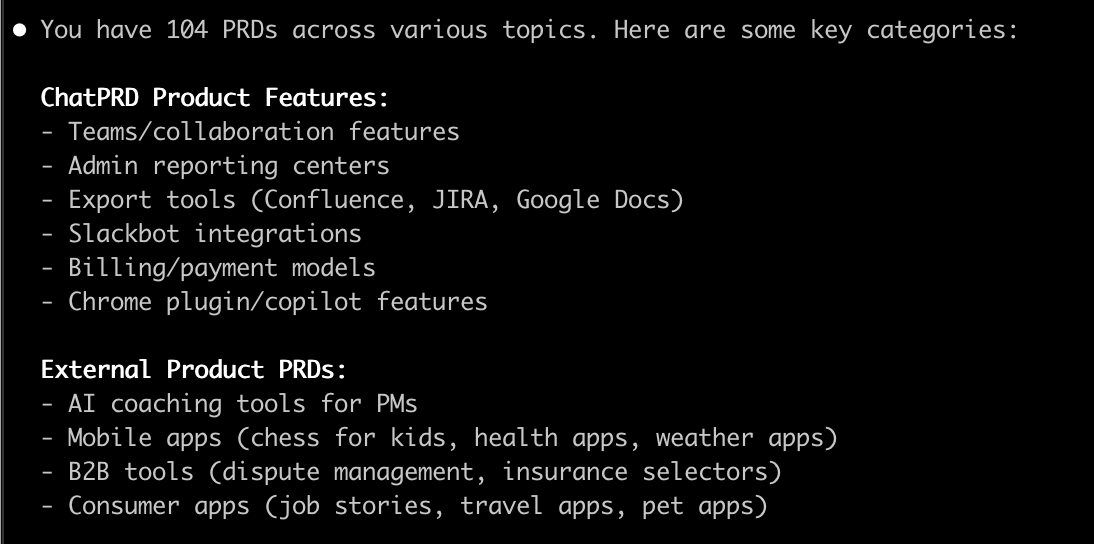
Why ChatPRD MCP Changes the Game
Without MCP, every time you start a new task in Claude Code you’d need to dig up your PRD, copy the relevant sections, and paste them into your prompt. This manual step is both slow and error-prone—especially if the PRD has changed since the last paste.
With ChatPRD MCP:
- You can issue precise, context-aware prompts like:
“Implement the settings page as described in PRD section 5.1.”
- Claude will automatically fetch that section directly from the latest PRD in ChatPRD.
- Any edits made to the PRD in ChatPRD are instantly reflected in future prompts—no re-uploading or reformatting needed.
This creates a continuous alignment loop between your product vision in ChatPRD and your implementation in Claude Code, even mid-project.
ChatPRD MCP + CLAUDE.md = Total Alignment
MCP ensures Claude always works from the most up-to-date requirements, while CLAUDE.md enforces your coding style, tech stack, and architectural rules. Together, they’re the Claude Code equivalent of Cursor’s .cursorrules—but with the huge advantage of real-time spec updates from ChatPRD.
The result: every feature Claude writes is shaped by both what needs to be built and how it should be built, without the risk of drifting from the current PRD.
Leveraging Claude Code’s Context Awareness
Claude Code uses three main sources of context:
Open files in your current workspace.
Indexed project files in your repo.
External MCP-fed documents (like your PRD in ChatPRD).
To maximize its capabilities:
- Keep PRDs in ChaPRD and access via MCP so they’re always in sync.
- Reference sections directly:
“Per PRD section 3.2, implement the payment gateway integration.”
- Use multi-step refinement: Build a base version, then iterate based on PRD details.
- Combine with architecture files: Have Claude reference both PRD and
architecture.mdfor deeper alignment.
Interactive Refinement Workflow
Claude Code shines when used iteratively:
Initial Prompt:
“Create the signup form per PRD section 2.1.”
Review Output: Compare against acceptance criteria.
Refine:
“Add client-side email validation as per section 2.3.”
Extend:
“Now add password strength indicator per security requirements.”
Because the ChatPRD MCP keeps the PRD current, even late changes flow into your coding sessions without manual intervention.
Step-by-Step Example & Use Cases
Scenario 1: “Team Calendar” Feature
PRD in ChatPRD:
- User stories for creating, editing, deleting events.
- Acceptance criteria for recurring events, time zones.
CLAUDE.md:
- React + TypeScript, Tailwind, Testing Library.
Prompt:
“Implement event creation form per PRD section 2.1.”
Claude Output:
- Correct form fields, validation, component imports.
Follow-up Prompt:
“Add recurring event logic per section 2.4.”
Scenario 2: “In-App Notifications” Feature
PRD in ChatPRD:
- Specifies notification types, read/unread states, delivery methods.
Prompt:
“Implement notification list UI per PRD section 3.1.”
Claude Output:
- Component with filtering, pagination per acceptance criteria.
Follow-up:
“Add push notification support per section 3.4.”
Common Mistakes & How to Avoid Them
Vague PRDs → Results in generic or incomplete code.
Fix: Be specific; list edge cases in acceptance criteria. Use ChatPRD to generate great PRDs.
Ignoring CLAUDE.md → Inconsistent patterns.
Fix: Keep it updated; Claude references it constantly.
Unstructured PRDs → Harder for Claude/MCP to fetch relevant context.
Fix: Use clear headings and bullets.
Stale MCP Data → If PRD in ChatPRD is outdated, Claude will code to old specs.
Fix: Update PRD promptly by telling the MCP to update the document.
Bloated CLAUDE.md → Consumes context tokens unnecessarily.
Fix: Keep only essential rules.
Conflicting Instructions (PRD vs CLAUDE.md) → Mixed outputs.
Fix: Sync both whenever project decisions change.
Overreliance on AI → Missing human review/testing.
Fix: Validate all AI-generated code with tests and reviews.
Final Recommendations
- Write clean, structured PRDs: Define the “what” with clarity
- Use
CLAUDE.mdfor style guidance: Define the “how” for implementation - Leverage MCP: Keep PRD context live and accurate
- Iterate with refinement: Build → review → adjust against PRDValidate constantlyTest against acceptance criteria
In conclusion: Combining Claude Code, a structured PRD, a focused CLAUDE.md, and MCP integration creates a workflow that’s fast, accurate, and always aligned with your goals. You get AI-accelerated development without sacrificing consistency or compliance—because Claude always has the right instructions, in the right format, at the right time.
What's New in 2026 for Claude Code and PRD Workflows
Claude Code as a Standalone Agentic CLI Tool
In 2026, Claude Code has evolved into a powerful standalone agentic CLI tool, capable of autonomously editing files, running terminal commands, and even searching the web for relevant information. This transformation means that PRD workflows can now be directly integrated into automated development pipelines. Instead of manually feeding requirements into Claude Code, you can define project-specific instructions in CLAUDE.md files, which outline conventions and coding standards. This ensures that Claude adheres to your PRD’s technical constraints and business logic without constant oversight, streamlining the transition from requirements to implementation.
Enhanced MCP Elicitation Support
One of the standout updates in version 2.1.76 (March 2026) is the MCP elicitation support. With ChatPRD’s Model Context Protocol (MCP) integration, Claude Code can now request structured input through interactive dialogs. For PRD authors, this means you can dynamically clarify ambiguous requirements or provide additional context on-demand during Claude’s processing. For instance, if a user story in your PRD lacks specific acceptance criteria, Claude can prompt you to elaborate, ensuring the output aligns perfectly with your vision. This reduces miscommunication and keeps your PRD as the single source of truth.
Agent Teams and Subagents for Complex Projects
Claude Code’s research preview of Agent Teams introduces multi-agent collaboration for tackling complex tasks defined in your PRD. Coupled with subagents for parallelized multi-step workflows and worktree isolation, this feature ensures safe, modular changes across large codebases. For PRD workflows, this means you can assign different sections of your requirements—like user interface specs to one agent and backend logic to another—while maintaining consistency. This is particularly useful for projects with sprawling technical requirements, as it minimizes conflicts and accelerates delivery.
Automation and Customization Features
Automation has taken a leap forward with features like the /loop command and cron scheduling for recurring tasks, as well as hooks (Elicitation and ElicitationResult) for custom automation on tool call events. PRD-driven development benefits immensely here—you can schedule Claude to periodically check for PRD updates via MCP and automatically adjust code or documentation. Additionally, automatic memory recording and recall across sessions ensures that Claude remembers past PRD contexts, reducing redundancy in iterative projects.
- Voice input (STT) support for 10+ languages, allowing hands-free PRD updates or feedback during elicitation dialogs.
- Effort levels via the /effort slash command (low/medium/high), letting you control reasoning depth for PRD-driven tasks—use 'high' for intricate technical requirements.
- Background agents for long-running tasks, ideal for processing extensive PRDs or running simulations based on acceptance criteria.
- Sparse checkout support for large monorepos, ensuring Claude only loads relevant PRD-linked code sections.
These advancements make Claude Code a more autonomous and flexible partner in 2026, capable of adapting to the nuances of your PRD with minimal manual intervention. By leveraging tools like CLAUDE.md for standards, Agent Teams for collaboration, and MCP elicitation for clarity, your PRD remains the cornerstone of AI-assisted development, ensuring precision from ideation to execution. Whether you’re working in VS Code, JetBrains IDEs, or directly via CLI, Claude Code’s 2026 updates empower teams to build faster and smarter.