What's new: tools tools tools!
This month we have a revamped Linear integration, Google Drive document search, self-serve seat management, new tool selectors, and a roundup of How I AI episodes.

Claire Vo
This month we have lots of goodies for teams, especially those using Linear, plus some UX upgrades and much-requested bug fixes.
Let's dig in ⬇️
🚀 Linear Agent + Create Issues in Linear
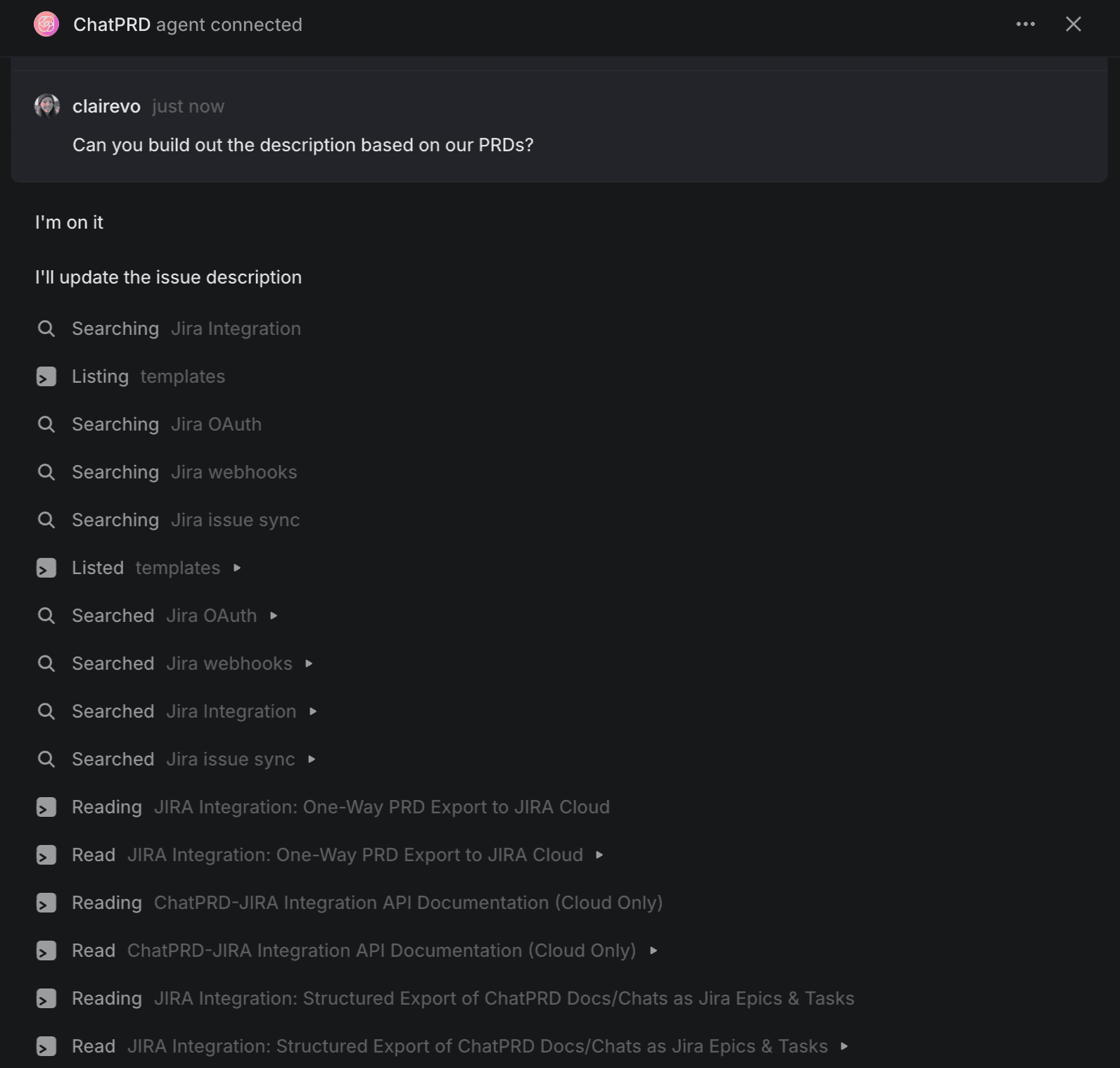
A top-to-bottom revamp of our Linear integration is here! Users can now see live updates, including agent thoughts, actions, responses, and errors. This real-time visibility means no more guesswork about what’s happening in the background.
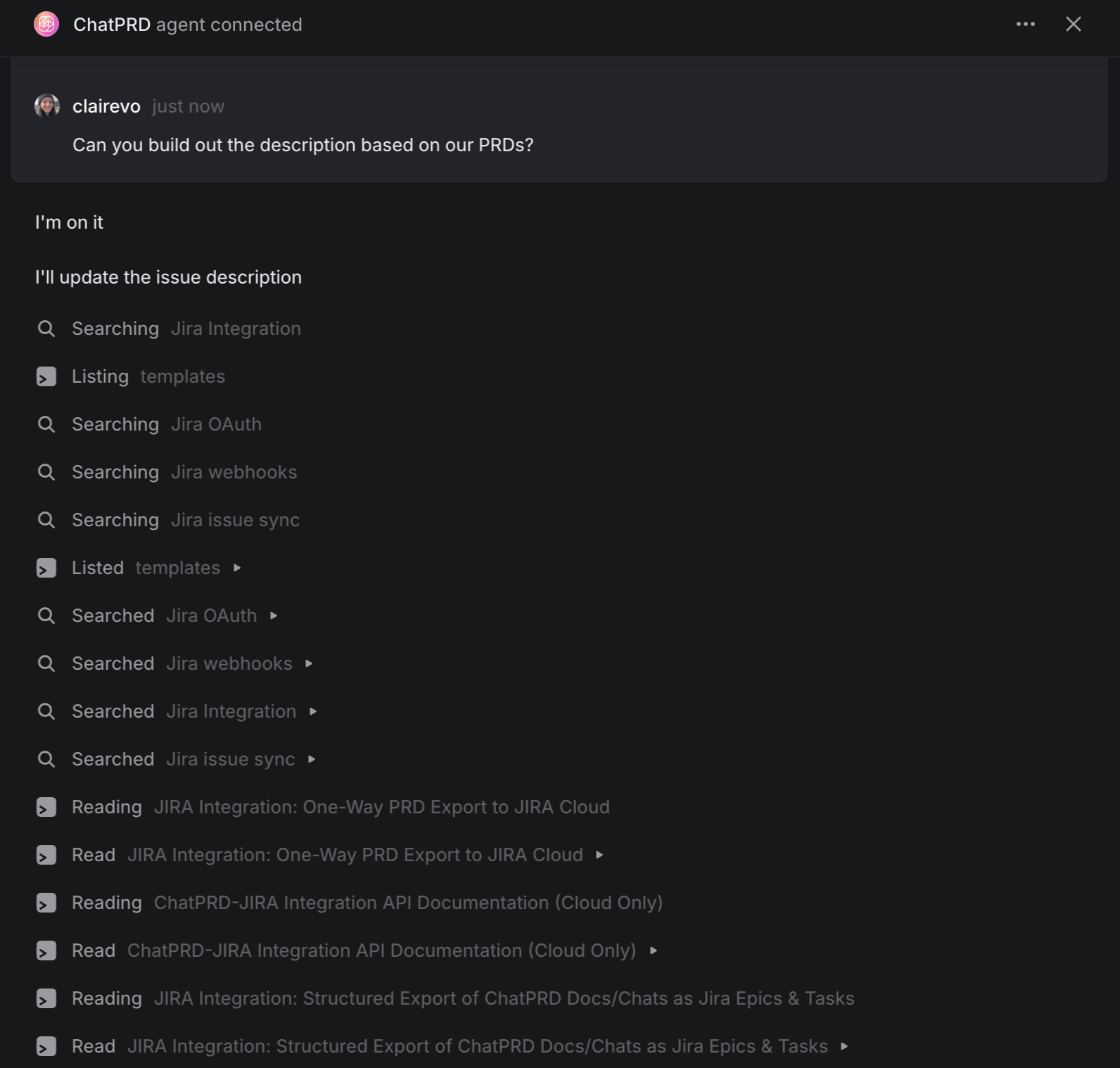
Ever had trouble connecting to the linear bot? Common blockers, like missing connections or account/subscription issues, are now flagged for you instantly.
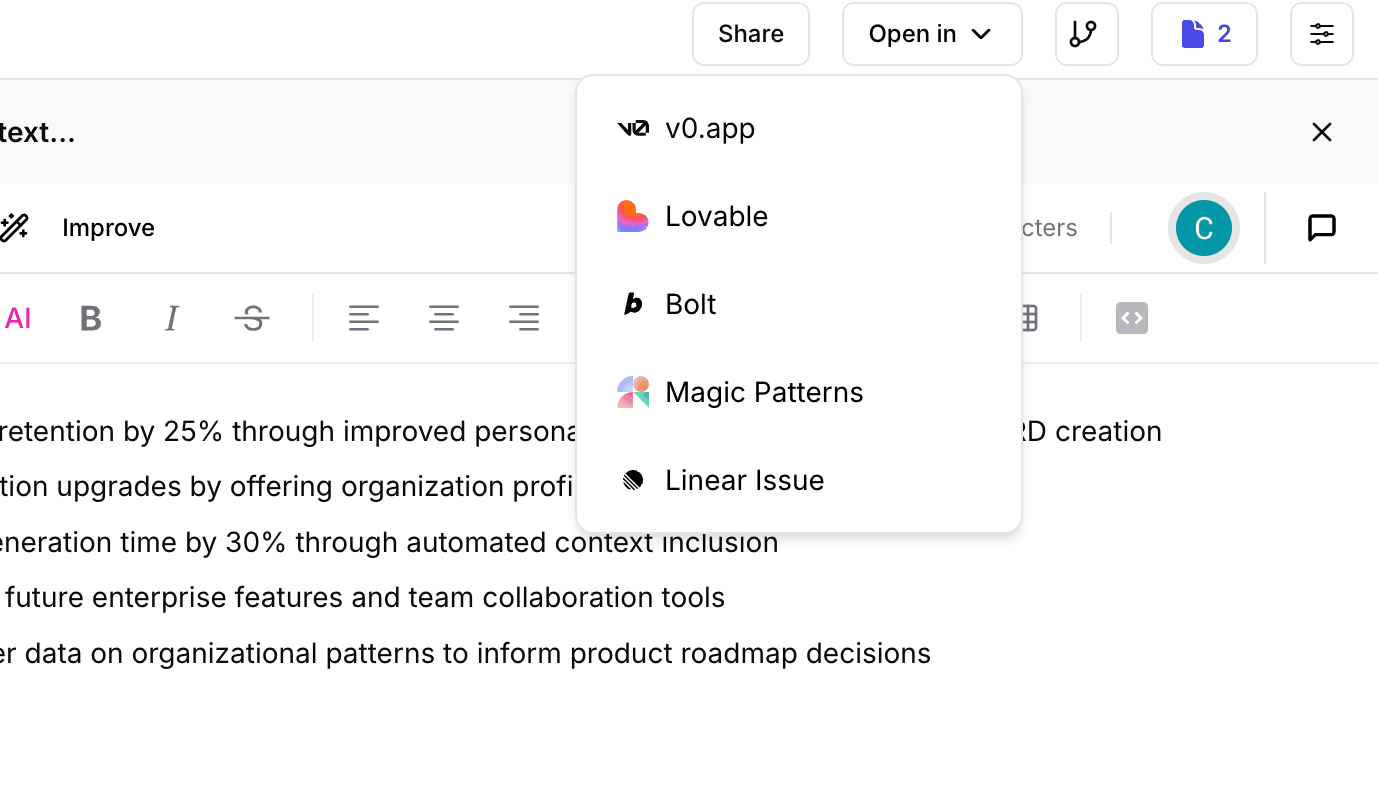
Even easier, there’s also now a Linear option in the “Open In” dropdown on each document page. Click it to create a pre-filled Linear task—complete with title, summary, and compressed, actionable content.
No changes to take advantage of this update! Remember, Linear is for teams plans only and can be set up in Integration Settings.
📝 Self-Serve Seat Upgrades for Teams & Enterprise
It’s now effortless to add, remove, or adjust user seats for your team, right from the billing portal—no need to chat in support.
On Team and Enterprise plans, you’ll find a new “Manage Seats” button on your billing page. All changes are instantly reflected across your workspace, and mid-cycle upgrades or reductions are automatically prorated.
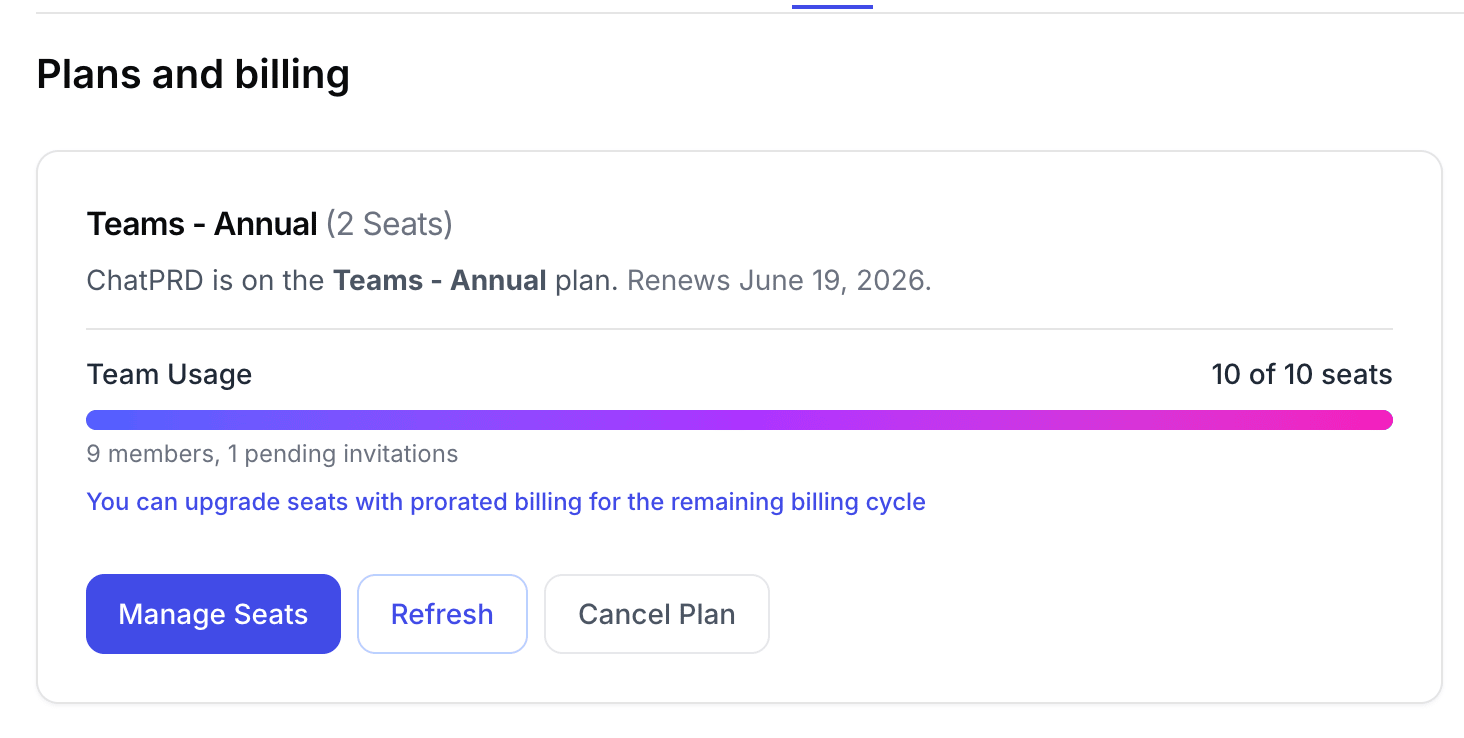
Seat management is available to team admins only.
🔍 Google Drive Document Search
Pro and team users: AI can now search and retrieve relevant content from your Google Drive files and Docs, in real time, as you chat.
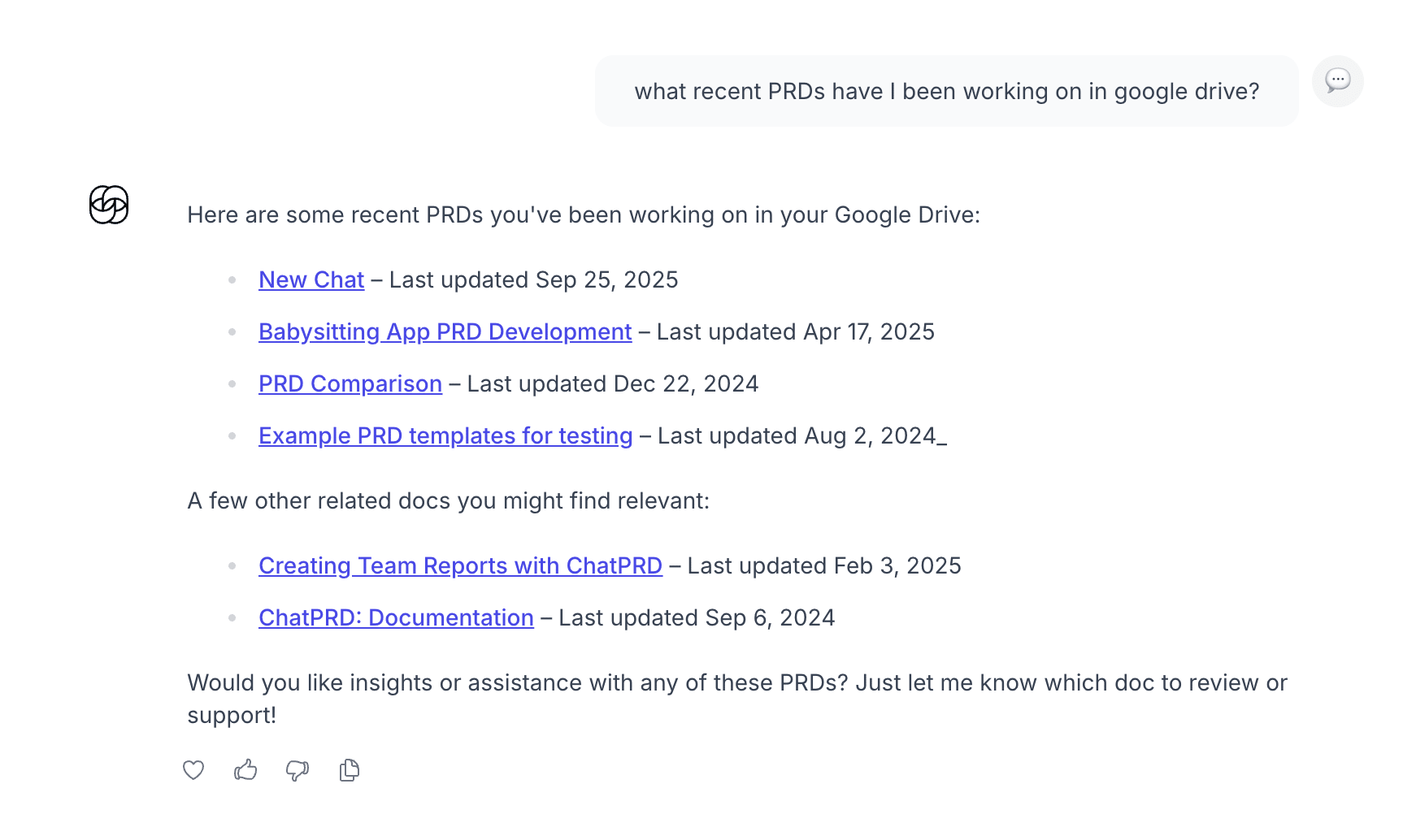
Connect your Drive account and enable search from settings, and the AI will reference your documents contextually—providing richer, more relevant suggestions or answers right when you need them. No manual uploads or copy-pasting required. Drive results feature direct links, file previews, and smart context summaries.
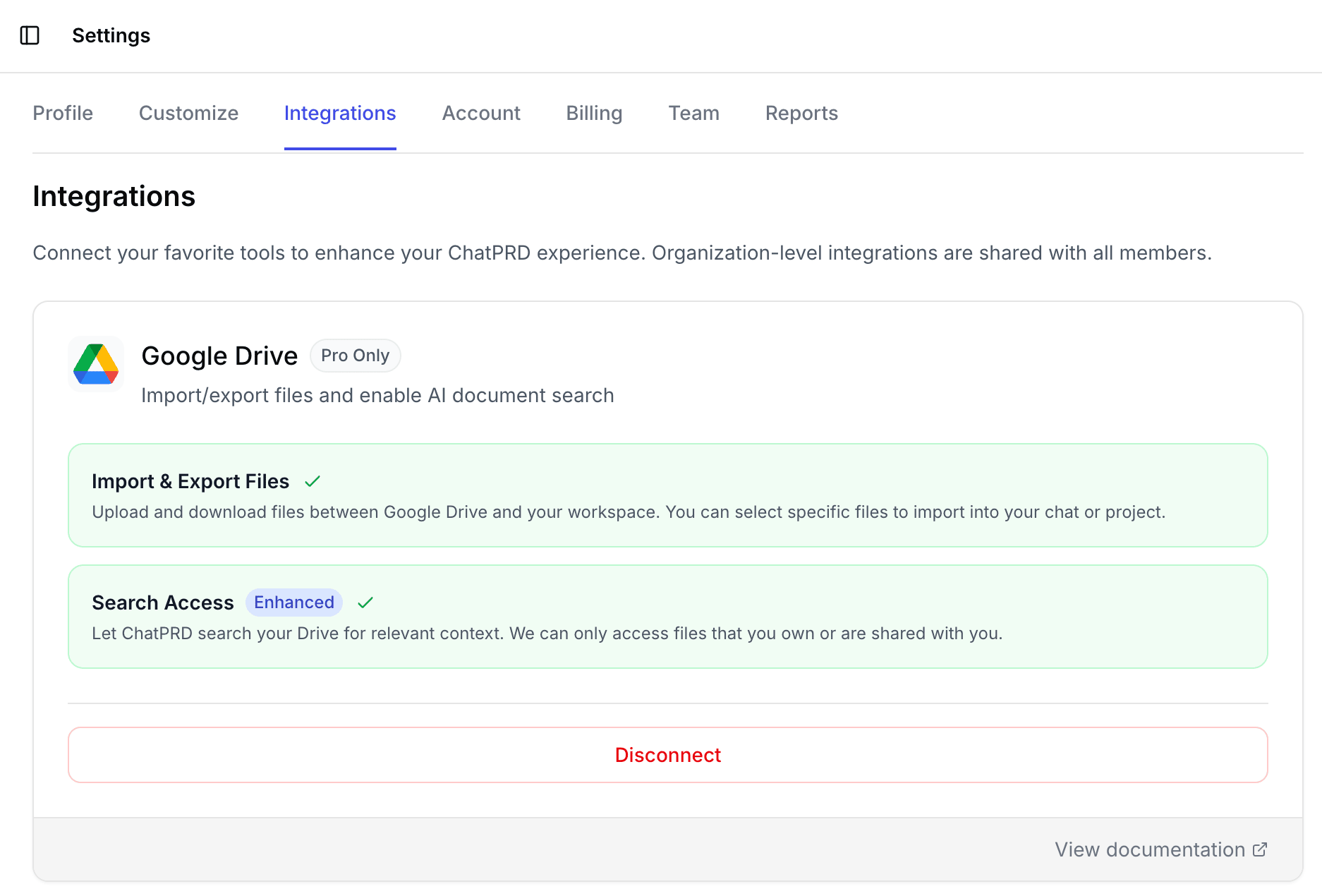
NOTE: This tool is currently under approval from Google, so you may get some funky warnings while you set it up!
🛠️ Tools Selector and Writing Mode Controls
As we've added more tools and capabilities to ChatPRD, she's become powerful! Maybe too powerful 🙃 so we've added some more granular controls.
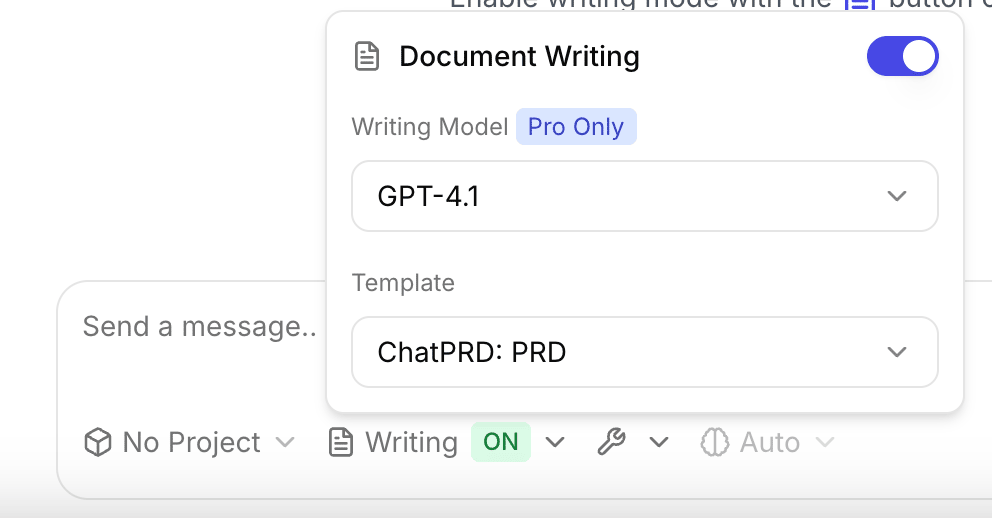
The new Writing Mode toggle allows you to enable or disable AI writing/editing functions with a single switch. You can also selecting which AI model (GPT-4.1, GPT-5, Claude Sonnet 4) you want for document work, tailoring ChatPRD to your style and needs.
The new Tools Selector provides fine-grained control over integrated tools, including v0 prototyping and our new Google Drive search.
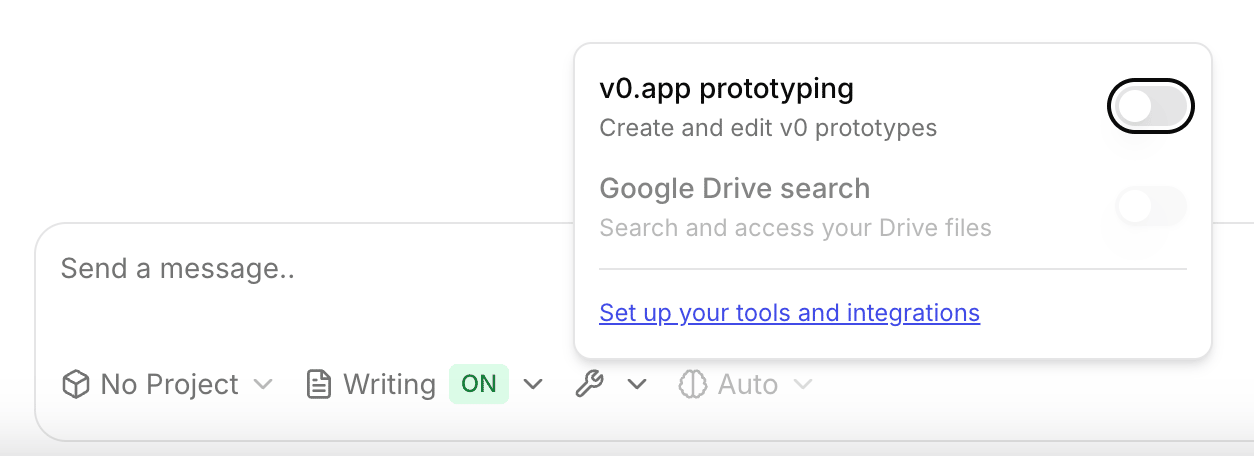
You’ll find these options in the chat box! We'd love your feedback and feature requests on this one.
🐛 Bugs Fixes & Minor Tweaks
A few recent improvements you’ll notice:
- Validation errors: You’ll now see friendly, clear messages if you miss a required field or submit an invalid API request.
- PDF and file handling: PDF files are correctly read and referenced by the AI for chat and search.
- Improved workspace experience: Faster document search, better export formatting, and reliable notification delivery.
🪐 How I AI
We've had great episodes of How I AI last month! Here's the roundup:
First, I vibed from 0->1 a personal hub for managing docs and prototypes in From PRD to generating your very first lines of code:
Then Tim Trueman and Alexa Cerf from Faire’s data team demonstrate how MCPs are revolutionizing data analysis workflows:
In this impromptu Halloween special, Marco Casalaina demonstrates how he uses GitHub Spark to quickly build a kid-friendly fortune telling app:
In this episode, Dennis Yang shares his end-to-end AI PM workflow and shows us how non-technical professionals can leverage AI-powered IDEs:
Next I dive into Anthropic’s latest feature that lets anyone create reusable workflows with Claude Skills:
And finally, Priya Badger shares her approach to designing AI-powered products:
Reminder: If you are liking the show, please give it a rating or review ⭐⭐⭐⭐⭐! It helps people find our episodes and helps us build early momentum with the show.
You can find us wherever you like to find your podcasts:
And if you have an idea for a guest, please submit a use case!
🪐 Other Updates from the ChatPRD Universe
I moderated an awesome panel at the WorkOS Enterprise Ready conference:
I'm loving seeing how much beginners love learning from the AI 101 content in How I AI:
Prajwal shares how ChatPRD is his last mile for great product docs:
I gave some storytelling advice for founders:
And realized I'm totally in the wrong market:


