How I AI: Anish Acharya's 3 Creative AI Workflows for Music Videos, Book Cataloging, and Personal Finance
Anish Acharya shows us three unique AI workflows: crafting AI-generated music videos, building a book cataloging app, and leveraging browser automation for personal finance.

Claire Vo
For this episode of How I AI, I got to chat with Anish Acharya, a general partner at Andreessen Horowitz who focuses on consumer investing and AI-native products. We got away from the usual B2B AI talk and got into some really creative, personal AI projects. Anish showed how anyone can use these tools for fun, artistic stuff.
He walked me through three different projects that really show how versatile AI can be for getting creative and productive.
Workflow 1: Creating AI-Generated Music Videos
Anish kicked things off with a project to generate AI music videos, starting with a fun idea: a Kurt Cobain Tiny Desk Concert.
Step 1: Image Generation with GPT-4o
Anish started in GPT-4o to generate the main image with the prompt: "generate an image of Kurt Cobain playing a Tiny Desk concetrt".
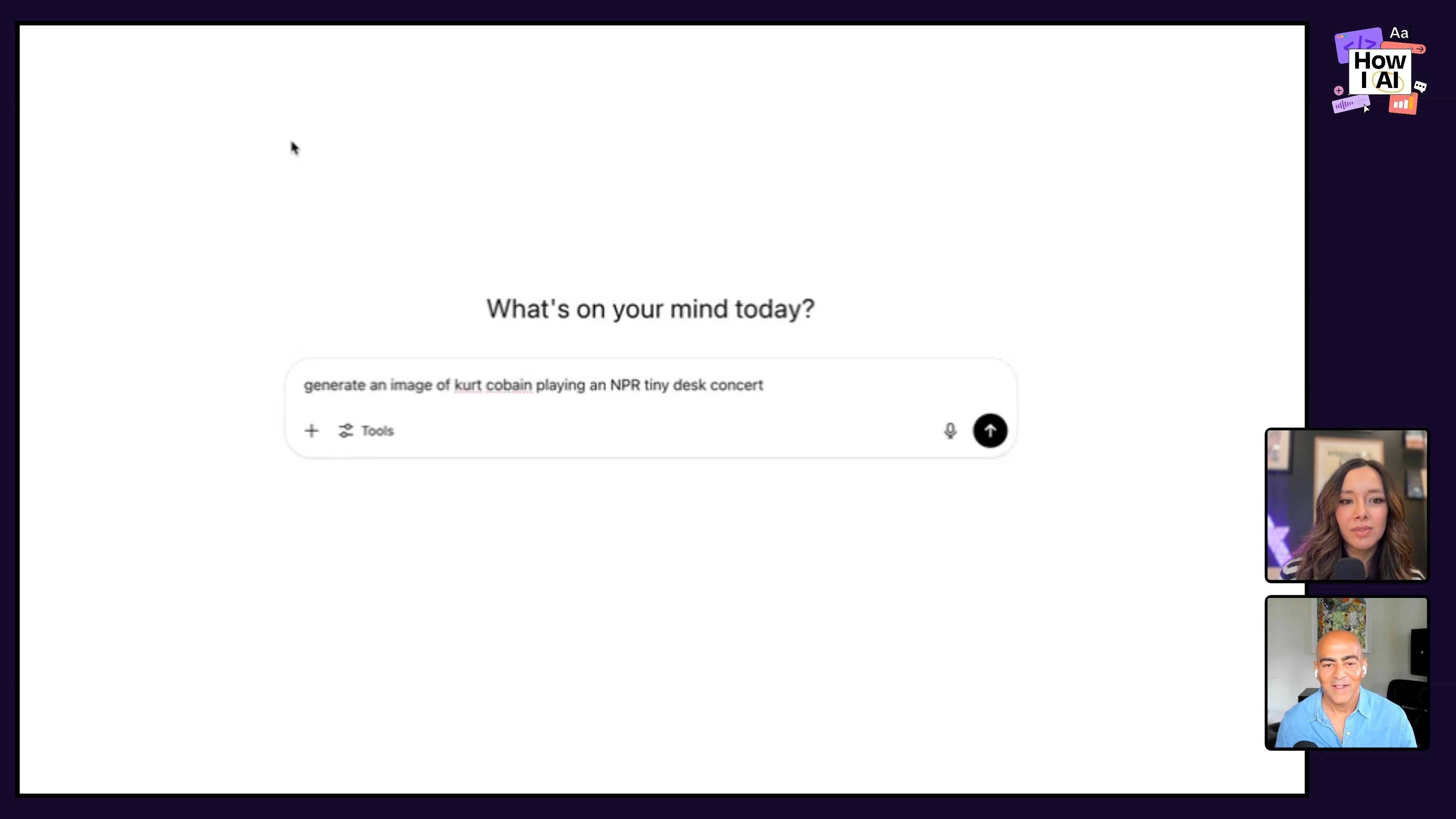
He tweaked the prompt a few times, eventually taking out the guitar for an acapella feel that seemed more fitting for the Tiny Desk style.
Step 2: Animating Still Images with Hedra
Next, he took that image and brought it into Hedra, a tool that can animate a still photo and add custom audio with lip-syncing.
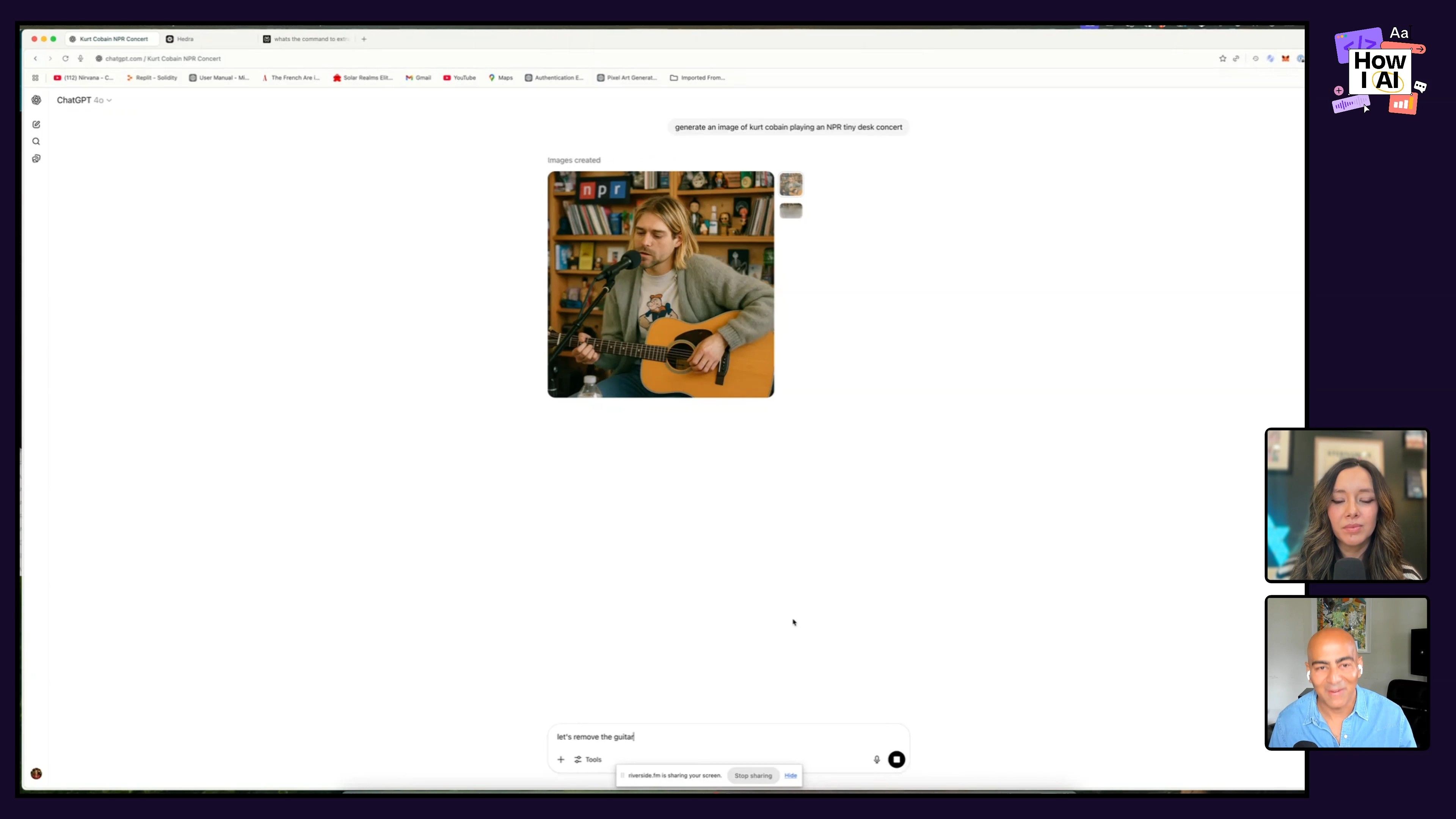
Step 3: Audio Extraction and Syncing with Adobe Audition
To get the audio, Anish used 4K Video Downloader (he admits it's a little sketchy) to grab Nirvana's Unplugged concert from YouTube. Then, in Adobe Audition, he pulled out the audio he wanted and synced it up with the animation from Hedra.
Step 4: Vocal Extraction with Demucs
To create an acapella version, Anish used Demucs to split the vocals from the instruments using this command: demucs two-stems vocals /path/to/audio.mp3.
Step 5: Final Video Assembly with Kapwing
To put it all together, Anish used Kapwing. He generated a few short video clips with Veo 3, playing with the prompts in GPT-4o until he landed on the right 90s grunge aesthetic.
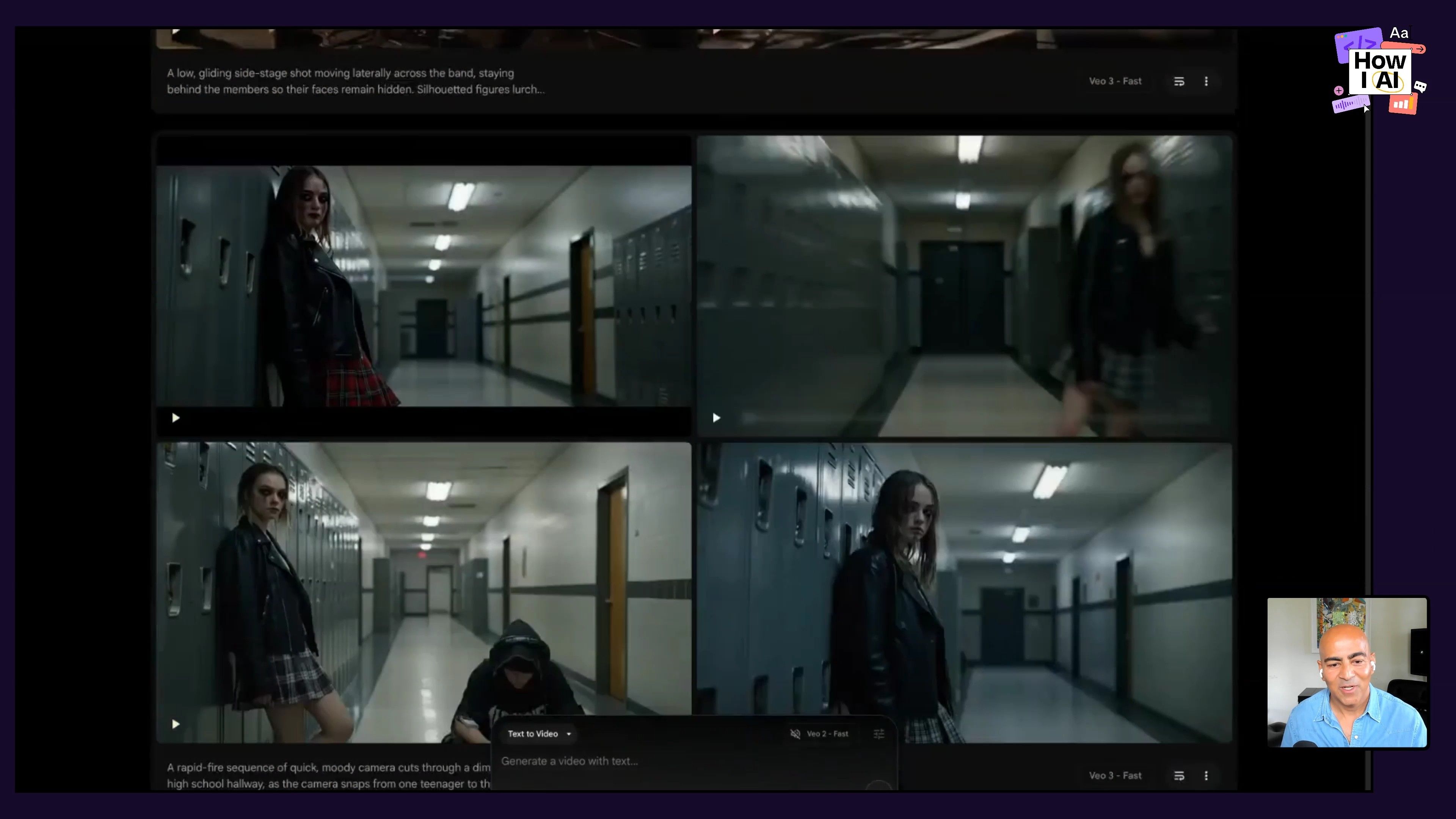
The final video is surprisingly high-quality and honestly, pretty evocative.
Workflow 2: Building a Book Catalog App with Gemini Flash
Next up, Anish showed me how he used Gemini Flash to build something really practical: an app that catalogs your books.
Step 1: App Creation in Google AI Studio
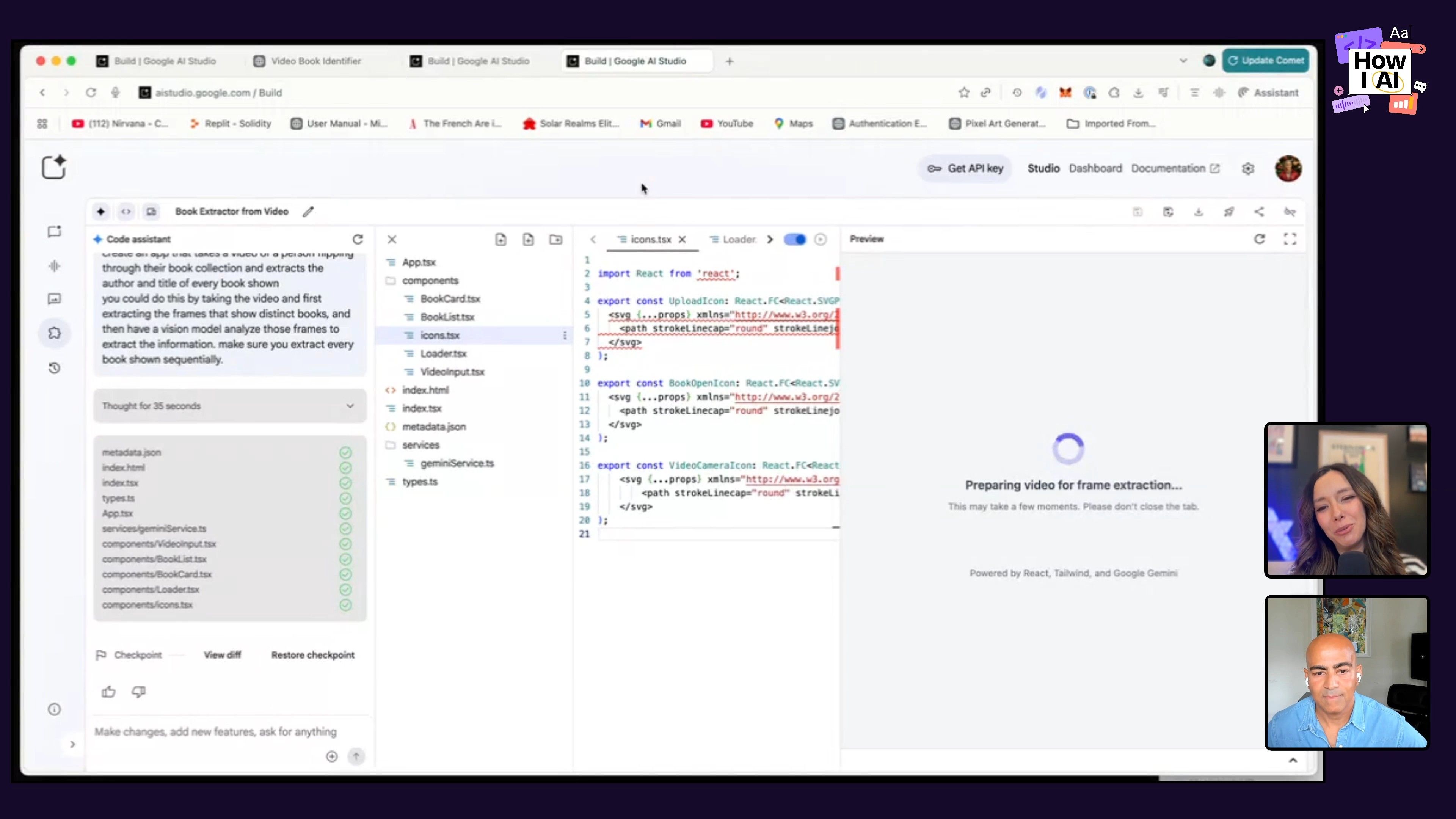
Inside Google AI Studio, Anish made an app with this prompt: "Create an app that takes a video of a person flipping through their book collection and extracts the author and title of every book shown."
Step 2: Video Analysis and Data Extraction
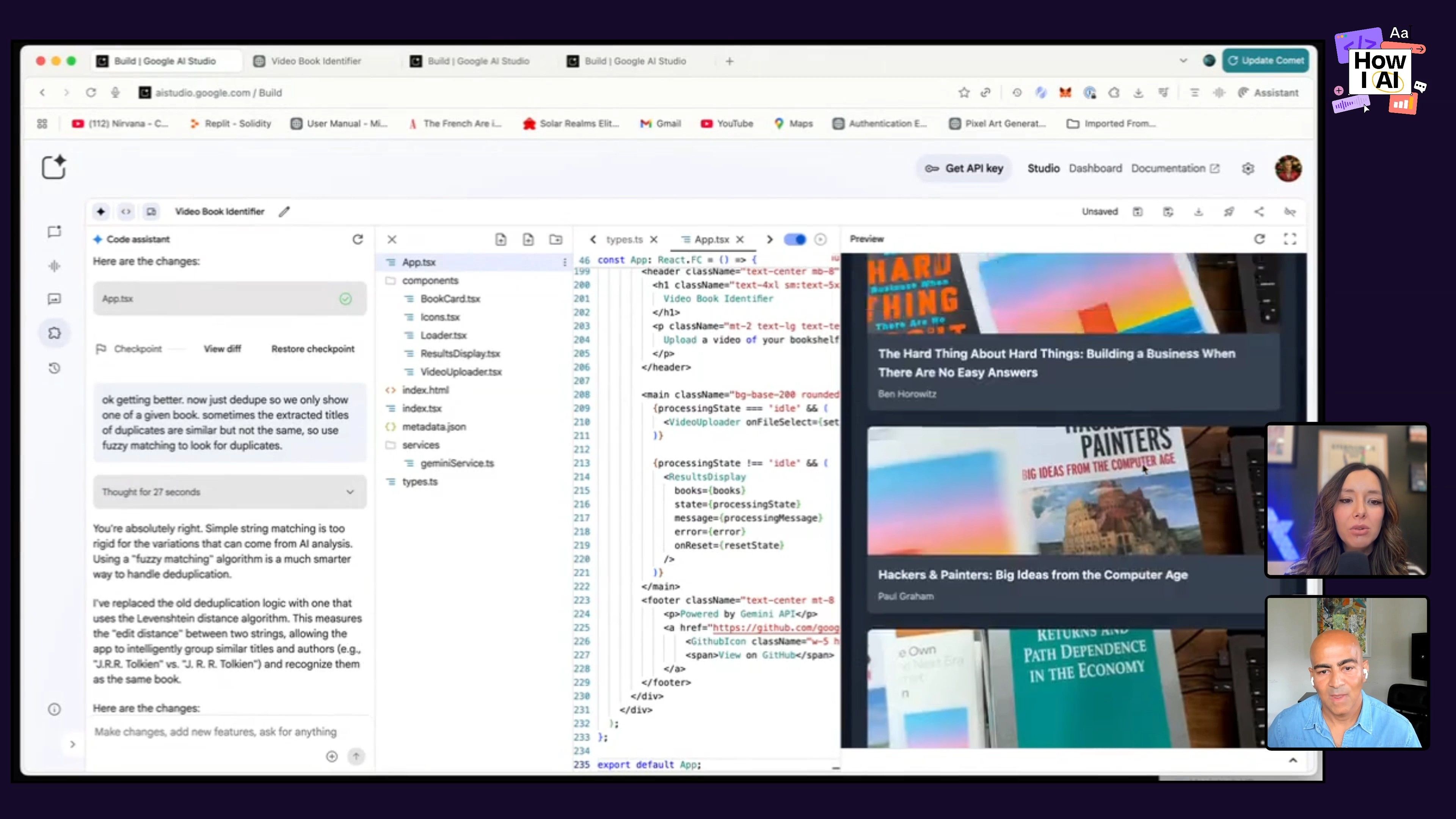
You just take a video of yourself flipping through your books, and the app pulls out frames of each one. From there, Gemini Flash’s vision model analyzes each frame and pulls out the author and title.
Step 3: App Deployment
He then deployed the app using Cloud Run, which made it live and accessible with a simple shareable link.
Workflow 3: Personal Finance Analysis with Comet
For his last demo, Anish showed me Comet, a browser extension from Perplexity that he uses to get insights on his personal finances.
Browse with Comet
Comet is interesting because its AI can actually browse and interact with websites for you. This opens up a lot of possibilities for research or just getting personal tasks done that used to be a pain.
Anish showed me how he uses Comet to log into his Robinhood account and ask for an analysis of his portfolio or for investment ideas. It's something he could do by hand, but the agent helps him get faster, deeper insights with a lot less work.
Conclusion
Anish's demos were such a great reminder that AI can be used for more than just big enterprise apps and "vibe coding." I hope seeing these projects inspires you to try using AI for your own creative ideas or just to make some personal tasks easier.
As someone who loves where art and technology meet, this was a really fun one for me.
Thank you to our sponsors!
This episode is brought to you by:
- Notion: The best AI tools for work.
- Lenny’s List on Maven: Hands-on AI education curated by Lenny and Claire.
Episode Links
Try These Workflows
Step-by-step guides extracted from this episode.

How to Analyze Your Personal Finances Using the Perplexity Comet AI Browser Extension
Use the Comet browser extension from Perplexity to securely log into your financial accounts, like Robinhood, and ask natural language questions to get quick, deep insights into your portfolio performance and potential investments.

How to Build an AI Book Cataloging App with Gemini Flash and Google AI Studio
Create a practical application that automatically catalogs your books by analyzing a video of your collection using Gemini Flash and Google AI Studio, then deploy it with Cloud Run to make it shareable.

How to Create an AI-Generated Music Video with GPT-4o and Hedra
Learn to generate an AI music video by creating a base image with GPT-4o, animating it with Hedra, extracting and syncing audio with Adobe Audition and Demucs, and assembling the final video in Kapwing.


