How I AI: Jason Levin's Workflows for Agentic Memes, Vibe Coding, and Hardware Hacking
I sit down with Jason Levin of Memelord to break down his wild workflows, from using agents to create memes on OpenClaw to empowering his marketing team to code lead-gen tools with Cursor.

Claire Vo

Welcome back to How I AI! I’m Claire Vo, and I’m on a mission to help you build better with these new tools. This is probably the most unhinged episode we've done yet, and I loved every minute of it. I sat down with Jason Levin, the CEO and founder of Memelord, who is asking all of us to take being funny a bit more seriously. In our conversation, we didn't just cover one or two workflows; it felt like ten. This episode is packed with ideas about how you can use AI to market, build, and capture your best ideas—even if they come to you in the middle of the night.
Jason's journey is a testament to the new era of building. He started Memelord as a simple newsletter, grew it to $100k ARR on the no-code platform Bubble without any engineers, and then raised money to build an API-first company. His core philosophy? The most entertaining outcome is the most likely, and in a world full of AI-generated slop, human creativity and humor are the ultimate differentiators.
What I find so exciting about Jason's story is his embrace of what he calls "vibe coding" and his mantra to "let your marketers cook." He's not just building a product; he's creating a culture where non-technical people are empowered to build, experiment, and ship. From agentic meme creation that helps brands stay relevant to hardware hacking a custom bedside keyboard to capture ideas without waking his wife, Jason is living on the edge of what's possible. Let's get into how he does it.
Workflow 1: Agentic Meme Creation with OpenClaw
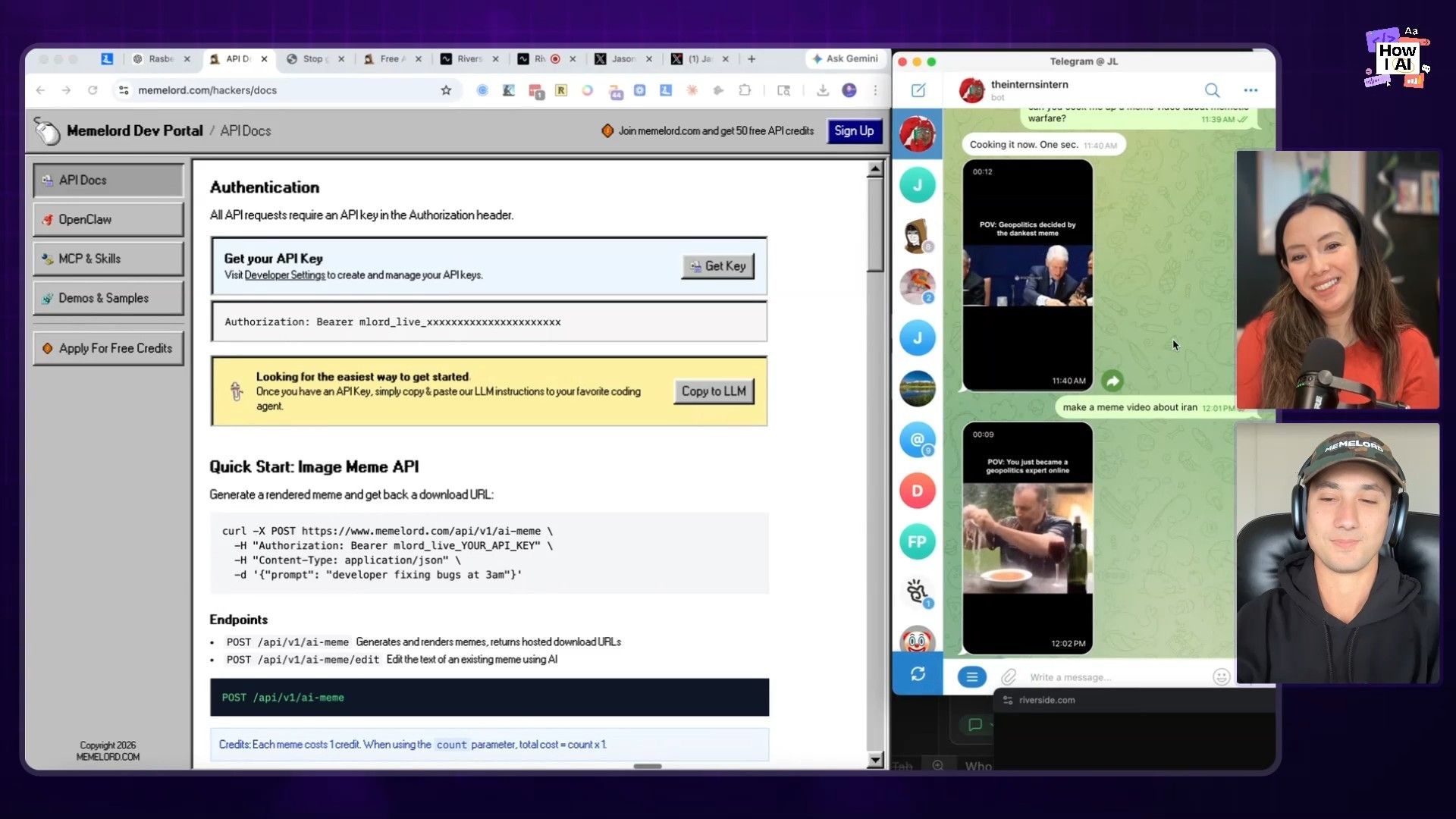
When Jason DMed me and said he had the killer use case for OpenClaw, he wasn't kidding. For brands, staying on top of trending memes is a full-time job with a very narrow window of opportunity. This is where agents shine. They don't overthink, they don't climb "cringe mountain"—they just execute. Jason showed me how he uses an agent to automate meme creation, which has become my own number one marketing use case for agents.
The Step-by-Step Process
- Get the API Key: The first step is to grab an API key from the Memelord API. This gives your agent access to Memelord's database of trending meme templates.
- Set up the Agent: In an agentic platform like OpenClaw, you create a new agent and give it the Memelord API key. Jason mentioned how easy it was to create the skill for this—he just asked the agent, "Yo, how do I make a skill?" and it walked him through it.
- Prompt the Agent: With the skill installed, you can now command your agent to create memes. The key is to give it a topic. Jason used the following prompt:
Can you cook me up a meme about mimetic warfare?- Review the Output: The agent taps into the Memelord database, finds a relevant trending template, and uses a model like Claude to write a contextually aware caption. In the demo, because the topic was political, it chose a template featuring Bill Clinton. The agent can even generate variations with a simple "switch the caption" command.
Why This Workflow Matters
Jason is building for a future where, as investor Sam Lessin told him, "I just don't want to use anybody's software." The best UX is no UX. By providing an API and agent-ready skills, Memelord is tapping into a new user base: autonomous agents. It's a brilliant example of reducing the friction between idea and execution, letting agents handle the rapid response needed for meme marketing while humans focus on the strategy.
Workflow 2: "Vibe Coding" Free Marketing Tools
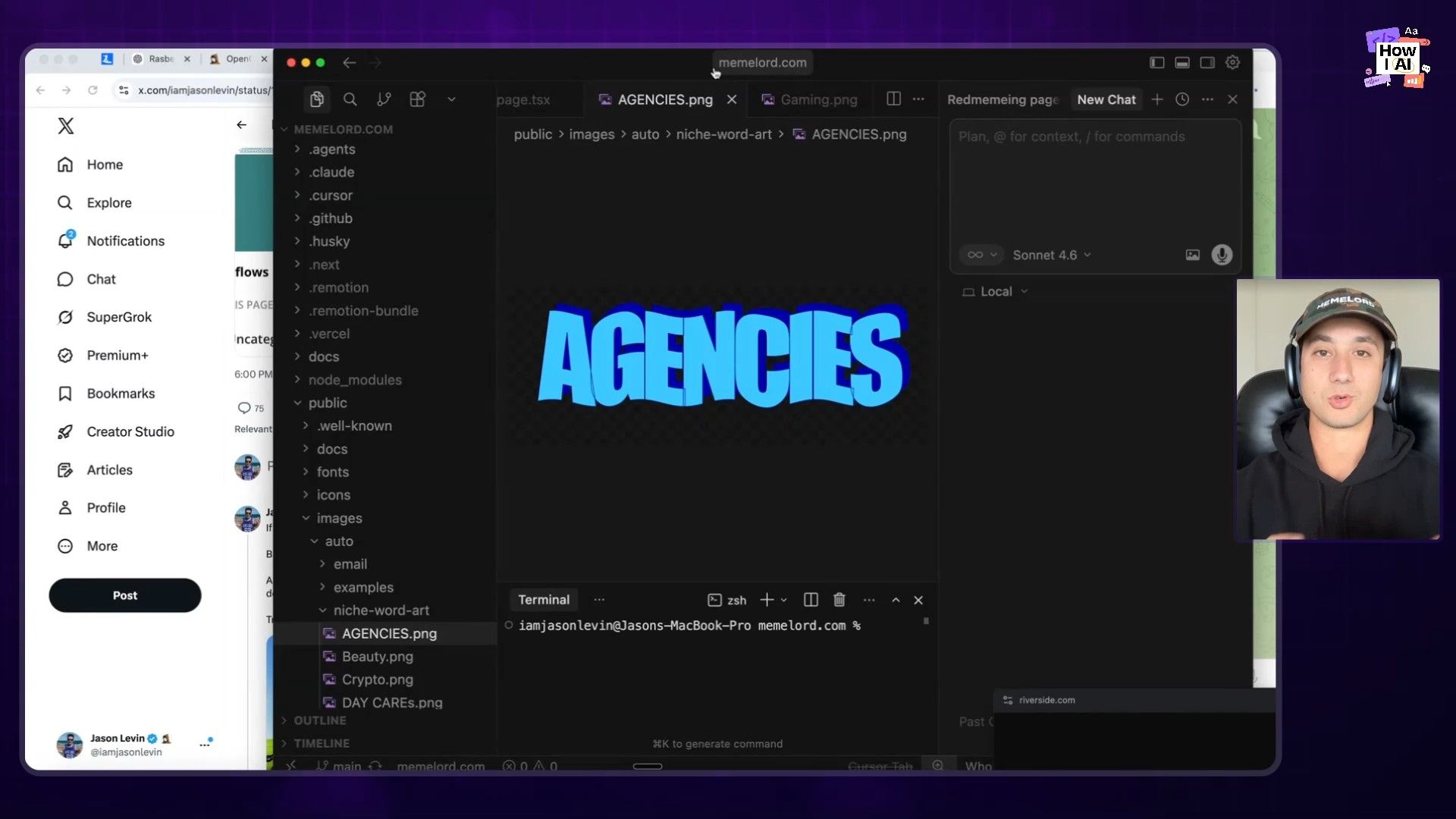
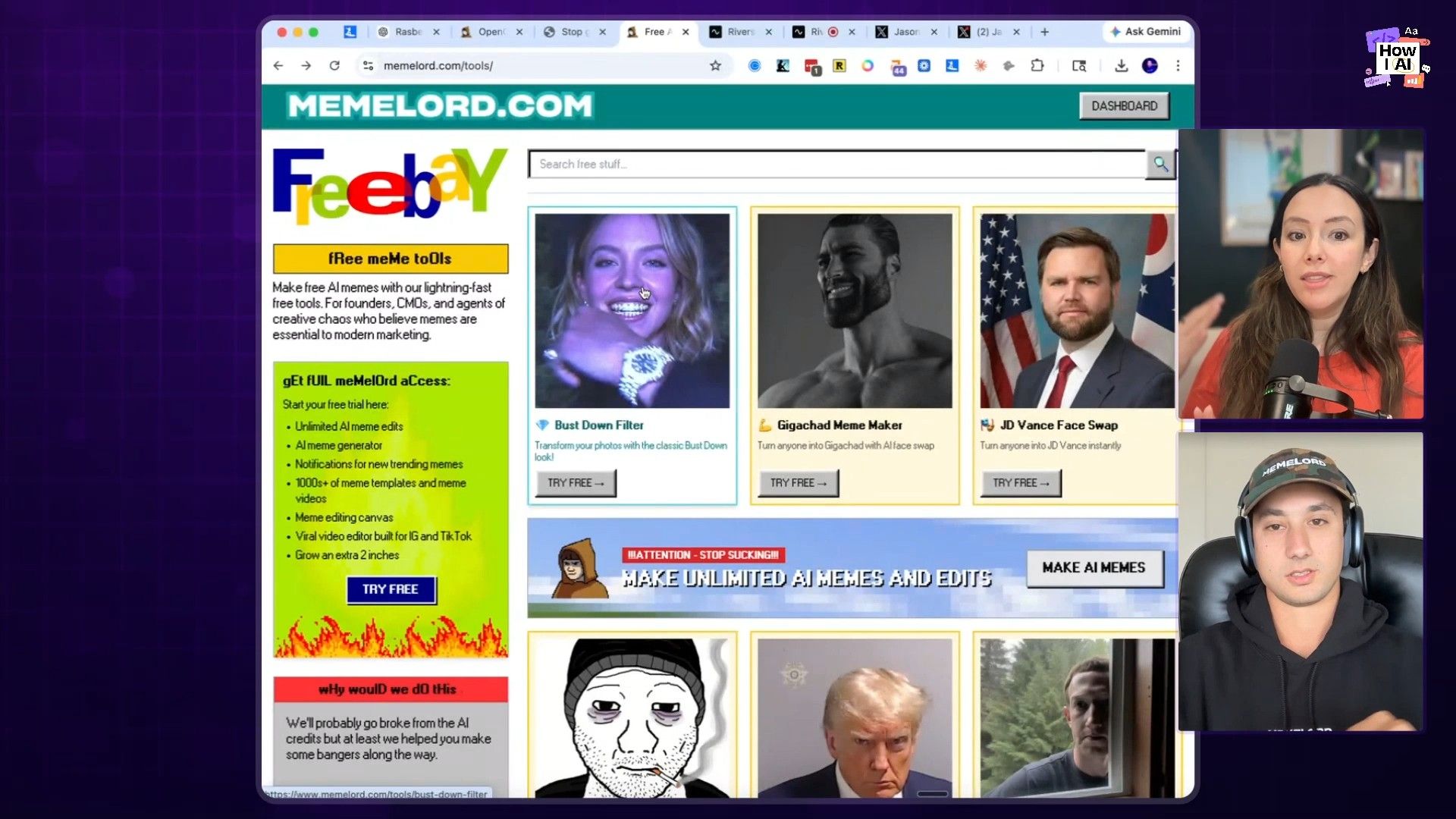
One of my favorite takeaways from this conversation was Jason's rule: at Memelord, every marketer has to "vibe code." He argues that free tools are the new PDF downloads, and with modern AI tools, they're often faster to build. His marketing team doesn't write briefs or wait in an engineering queue; they build their own lead magnets.
This philosophy has resulted in a free tools section on their website that has generated hundreds of thousands of email sign-ups. It's a powerful demonstration of what happens when you empower your team to cook.
The Vibe Coding Stack
- The Editor: [Cursor](https://cursor.com/): The team's primary tool is Cursor, an AI-native code editor. It's perfect for non-technical folks because you can simply ask the AI what you want to build, and it helps generate, explain, and debug the code. It makes you more dangerous and helps you learn as you go.
- The Process: None!: The beauty of this workflow is its lack of a rigid process. The team builds whatever weird, fun tools they can dream up. Some of the hits include:
- A "Bust Down Filter" that went viral on TikTok in Turkey.
- A Steve Jobs-style portrait generator that Jason uses for his own press headshots.
- A simple Snapchat caption generator, built out of frustration with the ad-filled main app.
How to Get Started
- Embrace the Mindset: The first step is cultural. Leadership needs to give marketers permission to build and provide them with the right tools, like a Cursor subscription.
- Start with a Simple Idea: Think of a simple problem your audience has. What's a small, fun tool you could build that solves the very first step of the larger problem your main product solves?
- Use an AI Code Assistant: Open Cursor and describe what you want to build. For example: "Build me a simple web app with a text input and a button. When the user enters text and clicks the button, it overlays that text on a specific image."
- Iterate and Ship: Let the AI guide you. Use its
Ask,Plan, andDebugfeatures to get your tool working. Then, put it on your website under a "/tools" page. Don't overthink it.
This isn't just about driving leads; it's about retaining talent. As Jason put it, you either let your marketers cook and build cool things, or you watch them leave to start their own companies. In today's environment, the barrier to building is lower than ever.
Workflow 3: The Bedside Idea-Capture Keyboard
As a non-technical founder, Jason is the perfect example of how AI empowers anyone to build hyper-personalized solutions. He walked me through a hardware hacking project he built to solve a very specific problem: capturing late-night ideas without using a bright phone screen or waking up his wife.
The Problem and Iterations
- The Goal: Capture ideas in bed without disrupting sleep.
- Attempt 1: Google Home. Using voice commands worked but was too loud. As Jason said, "I have a wife and I don't want to wake her."
- Attempt 2: Adding [Zapier](https://zapier.com/). He connected Google Home to Zapier to email his tasks, but it was still voice-based.
- The Breakthrough: What if he just had a keyboard with no screen?
The Final Build Workflow
- Hardware Assembly: Jason bought a cheap $10 mini-keyboard and a Raspberry Pi.
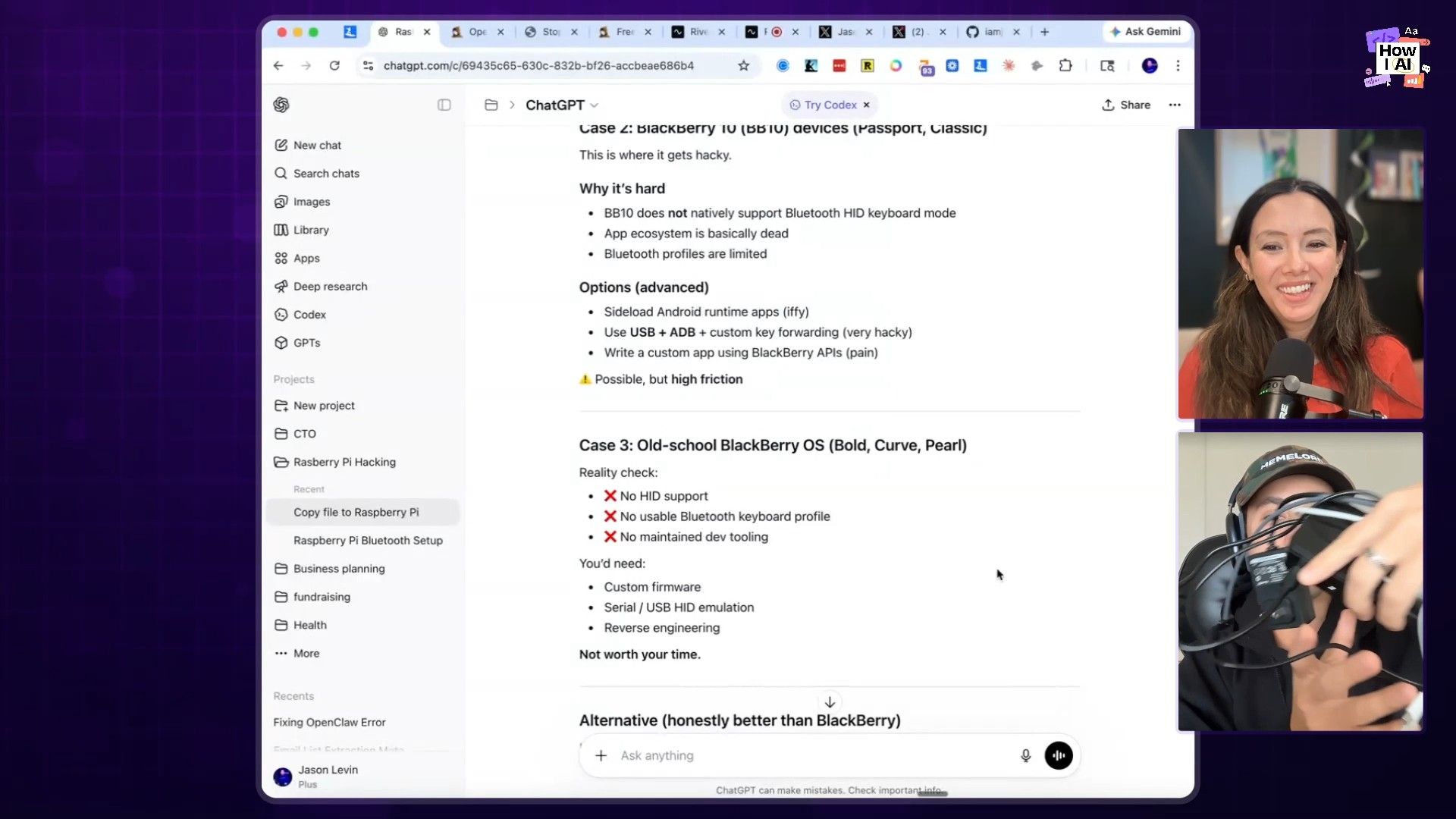
- Coding with [ChatGPT](https://chat.openai.com/): Having never built hardware before, he simply asked ChatGPT how to do it. He was guided to write a simple Python script on the Raspberry Pi that acts as a keylogger.
- The Trigger: The script listens for the "Enter" key. When pressed, it takes all the text typed since the last time Enter was pressed.
- API Request to [Zapier](https://zapier.com/): The script sends the captured text in an API request to a Zapier webhook.
- Intelligent Routing: A filter in Zapier parses the text for keywords to decide what to do with it.
- If the text contains
Lin Eng, it creates a new ticket in Linear for the engineering team. - If it contains
email, it sends the note to his own inbox. - If there's no keyword, it performs a default action.
This is the ultimate personalized workflow. It's a physical device built for a single user, solving a unique problem, all made possible by asking an LLM for help. It's not built to scale, and that's the point. We're entering an era where we can all build our own perfect tools.

Workflow 4: Automated Calendar Audits with OpenClaw
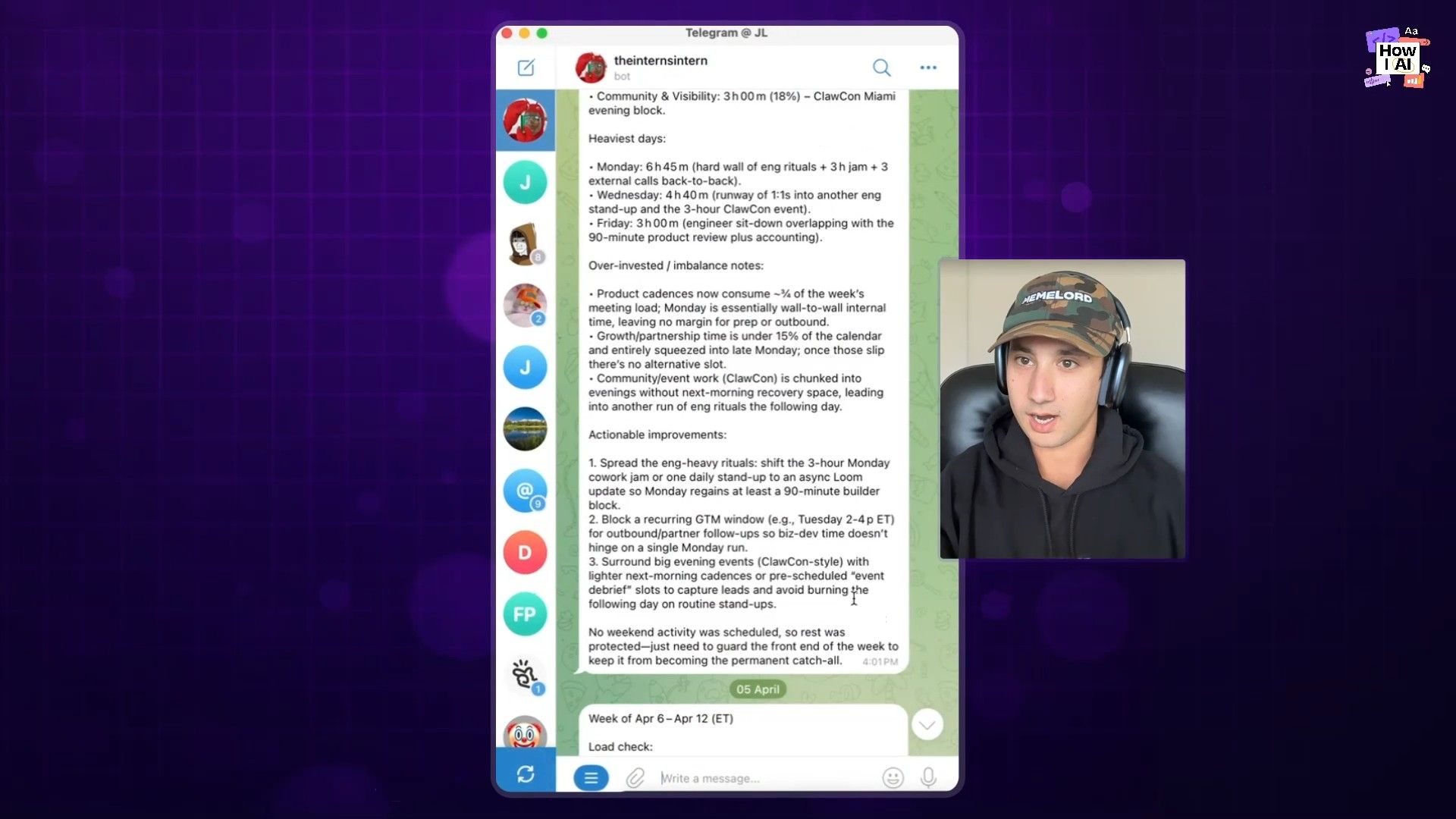
Beyond making memes, Jason uses agents for personal productivity. He's set up a workflow in OpenClaw that acts as an executive assistant, constantly analyzing his calendar to find inefficiencies and help him focus on what matters.
The Calendar Review Process
This is a simple, automated, two-part workflow:
- The Friday Week in Review: Every Friday, an agent automatically accesses his calendar and provides a summary of the past week. It analyzes how he spent his time and looks for patterns.
- The Sunday Week Ahead: On Sunday, the agent looks at the upcoming week's schedule to proactively identify opportunities and potential issues.
Actionable Insights
The agent doesn't just present data; it offers concrete advice. Jason shared a few examples:
- Meeting Optimization: The agent pointed out, "Hey Jason, you don't actually need to be at every engineering standup. Why don't you just get notes twice a week from your CTO?" This was a simple, high-leverage change he immediately implemented.
- Deep Work Scheduling: The agent noticed he only had one deep work block scheduled and asked if he wanted to schedule more.
- Meeting-to-Email Conversion: He's currently building a feature for the agent to review upcoming meetings and suggest which ones could be an email instead, with an option to automatically cancel them.
This is a fantastic use case for anyone feeling overwhelmed by their schedule. By giving an agent a clear goal (optimize my time) and access to the right data (your calendar), you can get a personalized productivity coach working for you 24/7. Jason is even thinking about connecting it to his Oura ring data and using the content of his meetings and DMs to automatically generate relevant tweets—turning his life's data stream into marketing content.
Final Thoughts
This episode with Jason Levin was a whirlwind of creativity, humor, and practical, buildable ideas. The common thread through all these workflows is a mindset of abundance and a bias for action. The tools are here, the barrier to entry has crumbled, and the line between consumer and creator is blurring.
Whether it's building a tiny hardware device for yourself, empowering your team to build marketing tools, or deploying agents to automate your work, the message is clear: just start building. Follow your curiosity, solve your own problems, and have fun with it. As Jason says, "Let your marketers cook." I'd add to that: let yourself cook, too. You have no idea what you're capable of.
Thank You to Our Sponsors
A huge thank you to the sponsors who make this show possible:
- WorkOS—Make your app Enterprise Ready today
- Rippling—Stop wasting time on admin tasks, build your startup faster


