How I AI: Reid Robinson's Zapier Workflows for CRM Automation, Meeting Prep, and Feedback Loops
Zapier's Reid Robinson shows us how he uses Zapier's MCP server with Claude to automate CRM updates and build a self-improving customer feedback system. Learn how to combine agentic and deterministic workflows to finally conquer your most tedious tasks.

Claire Vo
In this episode, I spoke with Reid Robinson, a product manager on AI at Zapier. If you're like me, you probably have a dozen Zapier workflows that form the load-bearing infrastructure of your life and work. Reid describes his role as the "Sisyphus of AI at Zapier," constantly pushing the boulder of innovation up the hill, and in our chat, he showed me some truly practical ways he’s making that climb easier for everyone.
We explored how to make sense of one of AI's more confusing concepts: MCPs, or Model Context Protocols. Reid has a much better way to think about them: they’re simply “app integrations for your AI tools.” It’s about giving your favorite AI, like Claude, access to the knowledge and actions locked away in the thousands of apps we use every day. He walked me through how he uses this to automate tasks he hates, like updating his CRM and prepping for back-to-back meetings.
We also covered a brilliant workflow for creating a virtuous cycle of customer feedback, turning support conversations into an ever-improving knowledge base. Reid's approach isn't just about making work faster; it’s about enabling a new level of quality and preparedness. He shared his framework of asking, "If you could run ChatGPT in your sleep, what would you do?" to unlock powerful automation ideas. This episode is packed with concrete workflows you can build today to take back your time.
Workflow 1: Automating CRM Updates with Claude and Zapier MCPs
Let’s be honest, almost nobody enjoys updating their CRM. Whether it's Salesforce, HubSpot, or a custom solution in Coda, it’s a tedious but necessary task. Reid showed me a fantastic, agentic workflow that makes this process almost effortless by combining the power of Zapier’s MCP server with the instructional power of Claude Projects.
Step 1: Building a Custom Toolset with Zapier MCP
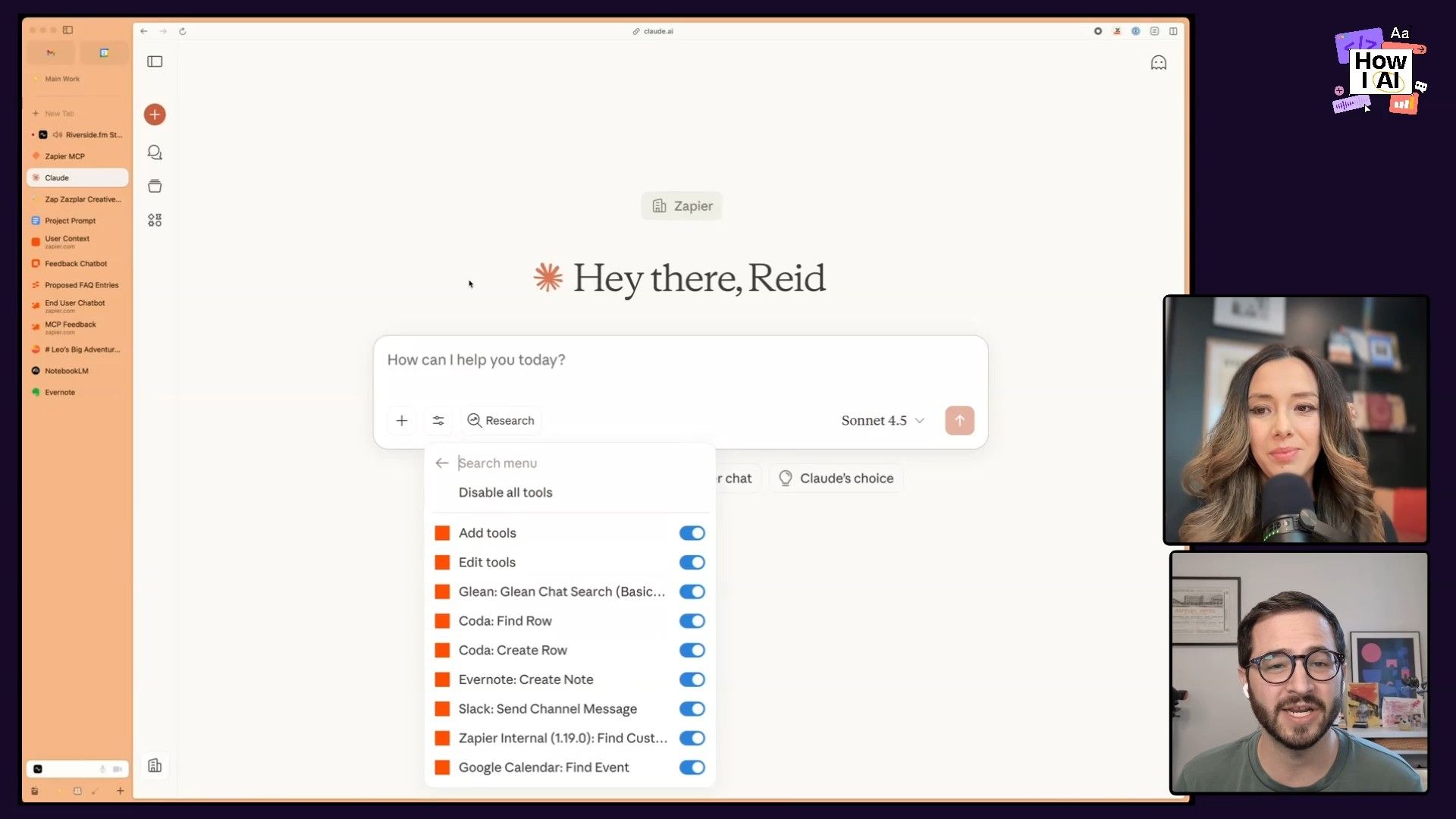
First, Reid uses the Zapier MCP server to create a custom collection of tools that he can give to Claude. Instead of adding individual tools one-by-one, Zapier allows you to bundle actions from over 8,000 apps into a single, secure connection for your AI. For his CRM workflow, Reid’s toolset includes actions for:
- Coda: To search and update his project-specific CRM docs.
- Google Calendar: To look up meeting details.
- Slack: To find related internal conversations.
- Evernote: To log notes in specific notebooks.
- Glean: To search across internal company knowledge.
This platform approach is great because you can create different toolsets for different use cases (e.g., one for sales, one for personal tasks) and connect them to various AI clients with a single URL.
Step 2: The Claude Projects "Secret Sauce"
Here's the part that really stood out to me. Many people use Claude Projects to provide knowledge or context, but Reid uses it to provide instructions on tool usage. He created a project specifically for his CRM updates that tells the model how and in what order to use the tools from his Zapier MCP.
This is a game-changer for reliability. Models can sometimes get confused about which tool to call, especially when actions have similar names (like "search projects"). By providing a detailed sequence in a Claude Project, you guide the model to a much more consistent and accurate outcome.
For example, his project instructions might specify:
- First, search the Coda document to see if a record for this contact already exists.
- If a record is not found, use the internal lookup tool to find more information about the person.
- Based on the meeting notes provided, create a new entry in Coda with fields for
Next Steps,Opportunity Details, etc. - Populate the fields according to these specific definitions...
Step 3: Putting It to Work for Post-Meeting Notes
With the setup complete, the workflow is simple. After a meeting, Reid gets a transcript from a tool like Granola. He then goes into Claude, selects his "CRM Logging" project, and simply provides the notes. Claude reads the instructions from the project, accesses the tools via the Zapier MCP, and carries out the entire process of finding the right contact, summarizing the notes, and updating his Coda database. What was once a 15-minute manual task becomes a simple copy-and-paste.
Workflow 2: The "Always-On" Meeting Prep Assistant
While the first workflow uses an agentic approach inside a chat interface, Reid also uses more traditional, deterministic workflows in Zapier for tasks that are predictable but time-consuming. A perfect example is his automated meeting prep assistant, designed to solve that familiar pain of jumping into a call without any context.
Step 1: Triggering the Research
This workflow is a standard Zap that triggers whenever a new customer interview is added to his calendar. It's designed to run asynchronously in the background, so it can handle processes that might take a few minutes to complete—something that isn't always ideal for a real-time chat interface.
Step 2: Fetching Data with the Right Model
Once triggered, the Zap performs a series of lookups:
- It takes the guest's email address and queries an internal lookup tool built on Databricks to get information on their company's usage of Zapier, past sales interactions, and more.
- The output from this tool is an HTML file. Reid's Zap converts this to a file format that's easier to process.
- Here’s another great tip: he then passes this file to a step using Google's Gemini model. As I've heard from other guests, the Gemini models are exceptionally good at handling files, whether it's PDFs, audio, video, or in this case, a converted HTML document.
He specifically chose Gemini for this step because it processes the file-based context more effectively and efficiently than other models might, leading to a better and more reliable summary.
Step 3: Delivering the Pre-Meeting Brief
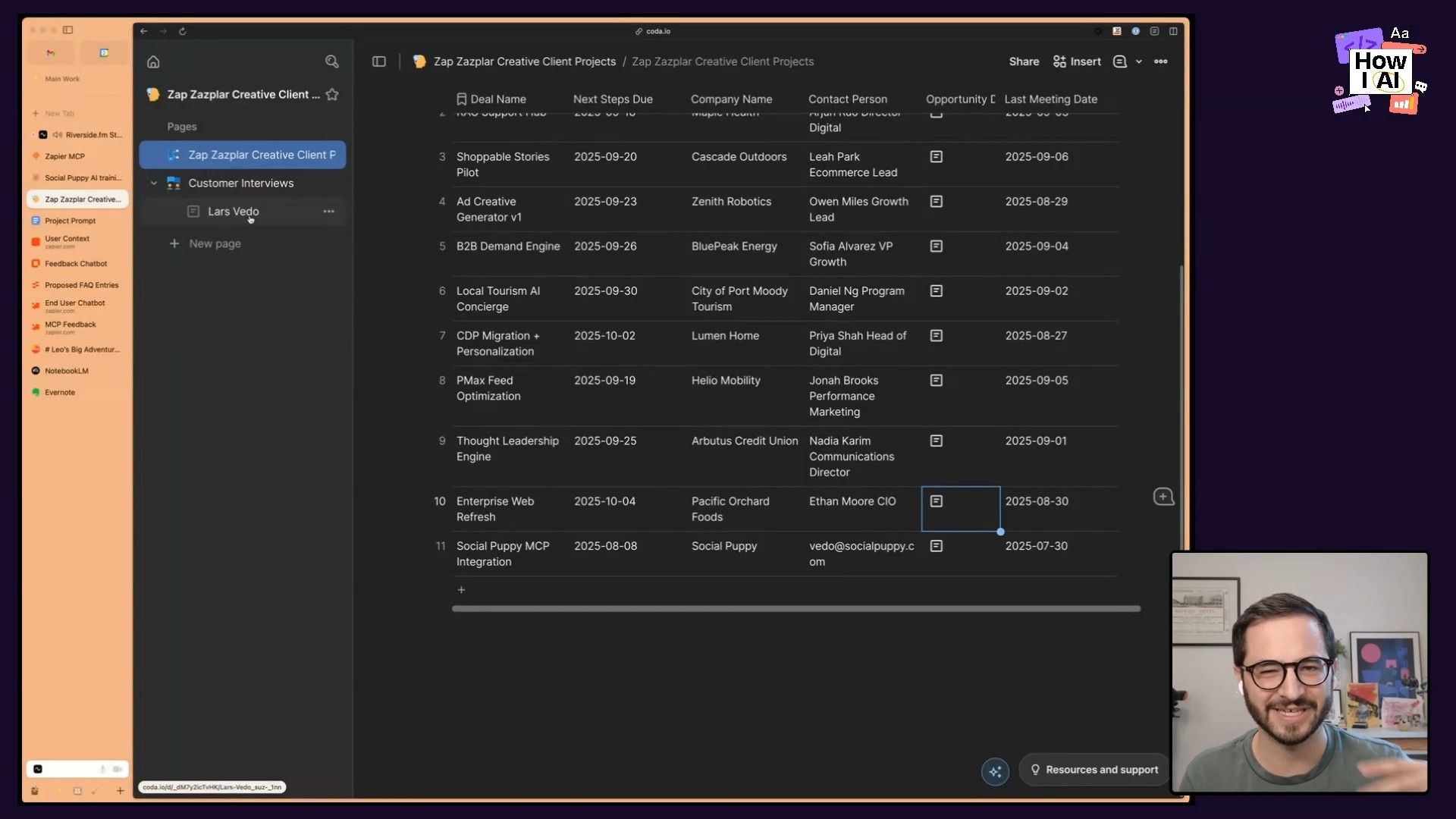
The final step of the Zap takes the crisp summary generated by Gemini and appends it to the Coda page dedicated to that specific customer interview. When Reid opens his notes for the meeting, all the crucial background information is already there. No more frantic, last-minute searching. He walks into every meeting fully prepared.
Workflow 3: Building a Self-Improving Customer Feedback System
This next workflow is a perfect example of my challenge to teams: "What would your perfect team with infinite time do?" A perfect team would analyze every single customer interaction, identify knowledge gaps, and update the help docs immediately. With AI, that's now possible.
Reid built a virtuous cycle that turns raw customer feedback into a constantly improving knowledge base that powers an internal chatbot for his team.
Step 1: The Analysis Zap
The process begins with a Zap that triggers whenever a support ticket is closed or a chatbot conversation ends. The Zap analyzes the full transcript of the conversation and performs two key tasks:
- It identifies the core question or issue the user had.
- It extracts the solution that was provided.
Step 2: The Human-in-the-Loop Review
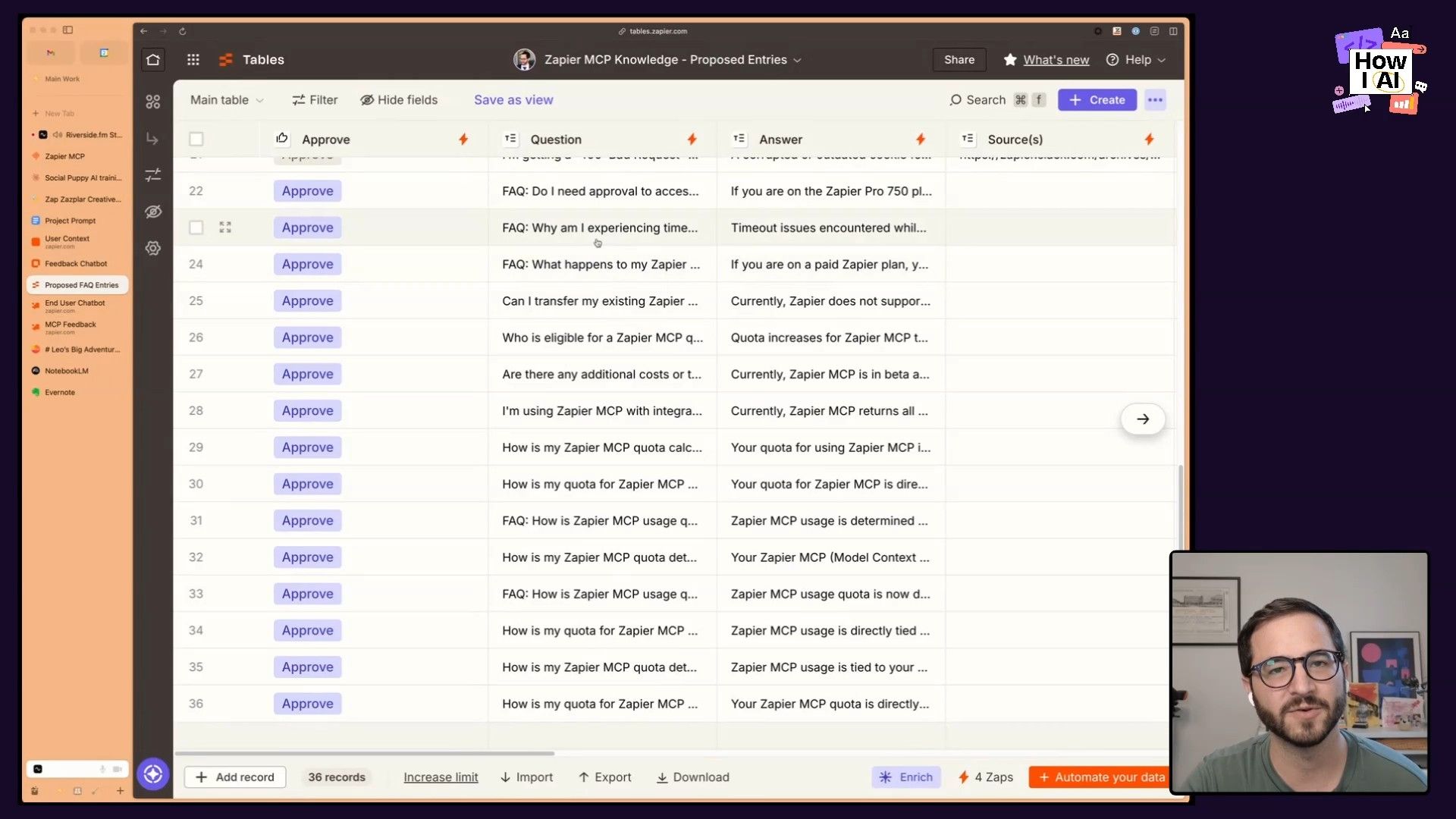
Next, the AI checks if this question-and-answer pair is already covered in the existing knowledge base (which is stored in a Zapier Table, similar to a Google Sheet). If the knowledge base is missing this information, the Zap doesn't just automatically add it. Instead, it proposes a new FAQ entry and sends it to a human review step.
This is such a crucial, pragmatic part of the system. Reid gets a notification to review the proposed FAQ. He can edit the question or answer for clarity and then simply approve it. This ensures the knowledge base maintains high quality while still automating 90% of the work.
Step 3: Closing the Virtuous Cycle
Once Reid approves the new FAQ, another Zap automatically adds it to the primary Zapier Table. This table is the knowledge source for an internal, locked-down chatbot that Reid's team (like sales and PMMs) can use to quickly find answers about customer feedback and use cases. Because the knowledge base is constantly being updated from real conversations, the chatbot gets smarter and more helpful every single day, automatically.
AI for Personal Joy and Productivity
Beyond the office, Reid shared a few personal use cases that I absolutely loved because they show how AI can solve real-world family problems and even act as a love language.
The Family Calendar Assistant
To solve the classic struggle between a physical kitchen calendar and a digital Google Calendar, Reid set up an amazing workflow. He simply takes a picture of the physical calendar and sends it to Claude. He uses a dedicated Claude Project with instructions like:
- Add events to our shared family calendar.
- If an event is at my son's school during business hours, automatically block off driving time to and from the location on my work calendar.
Claude then uses the Zapier MCP to perform the find, update, and create actions in Google Calendar. No more double-booking over a school pickup!
Interview Prep as a Love Language
When his wife was job searching, Reid used Notebook AI to create a personalized interview prep podcast for her. For each interview, he would feed the tool the company's career page, the job description, and articles about their competitors. He used a prompt like:
You are preparing Anna for this interview. Make sure it's specific to Anna...The tool would generate a custom audio overview that she could listen to before each interview. The feedback was incredible—she was consistently told she was the most informed applicant. This might be the ultimate demonstration of love: using AI to do knowledge work for your partner.
Making Music with Your Kids (and Suno)
Finally, Reid has been using Claude and the music generation tool Suno to create songs with his four-year-old son, Leo. He'll prompt Claude with the day's events—including mandatory poop and fart jokes, of course—and generate lyrics. He then plugs those lyrics into Suno to create a full song. Not only is it incredibly fun, but it's also become a gentle way to teach older neighborhood kids about the art of specific prompting.
Final Thoughts
Reid's workflows are a powerful demonstration of how to move beyond simple AI chat and build real systems that work for you. By combining the agentic, in-the-moment power of MCPs in Claude with the asynchronous, deterministic power of Zaps, he's able to automate the tedious parts of his job and unlock a higher level of quality and creativity.
His mindset of meeting users where they are—whether in a chat client or an automated background process—is key. I encourage you to take his challenge: think about what your AI could be doing for you while you sleep. Pick one tedious task and try building a workflow to handle it. You might be surprised at how much time you get back.
***
Brought to you by
- [WorkOS](https://workos.com/?utm_source=howiai&utm_medium=podcast&utm_campaign=q224)—Make your app Enterprise Ready today
- [Vanta](https://vanta.com/howiai)—Automate compliance and simplify security
***
Episode Links
Try These Workflows
Step-by-step guides extracted from this episode.

Build a Self-Improving Customer Feedback Knowledge Base
Create a virtuous cycle with Zapier that analyzes support conversations, suggests new FAQs for a knowledge base, and uses a human-in-the-loop step to ensure quality and continuously improve an internal chatbot.

Create an Automated AI Meeting Prep Assistant with Zapier
Build a Zapier workflow that automatically triggers on new calendar events, fetches customer data, uses Google's Gemini to summarize it, and delivers a complete brief to your meeting notes in Coda.

Automate CRM Updates with Claude Projects and Zapier MCPs
Use Claude Projects to provide detailed instructions and a Zapier MCP toolset to automatically update your CRM (like Coda or HubSpot) from meeting transcripts, saving you valuable time on manual data entry.


