How I AI: Hilary Gridley’s “Anti-System” for Automating Life with Claude Code
Learn how entrepreneur and new mom Hilary Gridley uses her “anti-system” with Claude Code to manage her day, decide what to automate with a '10x impact framework,' and build new AI skills without writing complex code.

Claire Vo
Welcome back to How I AI! I'm Claire Vo, and in this episode, I was so excited to sit down with our first-ever repeat guest, Hilary Gridley. Almost a year ago, she taught us how to be a better manager with AI in one of our most popular early episodes. Now, her life has changed dramatically—she's a full-time entrepreneur and a new mom, and the demands on her time have never been greater.
Hilary came back to the show to walk me through her completely new approach to personal productivity. She's moved beyond simple custom GPTs and now runs her entire life from the terminal using Claude Code. What I love about her method is what she calls the “anti-system system.” It’s a philosophy that rejects complicated setup and instead lets the AI learn and adapt to her real-world behavior over time. As she puts it, she wants to reclaim time for life’s joys, like enjoying a baguette and some nice cheese, not for maintaining a complex digital organization system.
In this post, we're breaking down the exact workflows Hilary uses. You’ll learn how she plans her entire day, from capturing fleeting to-dos with a simple phone shortcut to having Claude break down overwhelming tasks into manageable first steps. We’ll also cover her brilliant “10x Impact Framework” for deciding what to automate, and I’ll show you how she builds powerful new AI skills by simply having a conversation. This is for everyone who feels like their brain is a leaky sieve and wants a practical way to get started with more advanced AI tools, without any of the intimidating setup.
Workflow 1: The "Plan My Day" Anti-System
The core of Hilary's system is a daily planning session with Claude Code. The goal isn’t to enforce a rigid, hyper-optimized schedule, but to clear out the mental clutter of life admin so she can focus on what truly matters. It all starts with making sure no task, big or small, gets forgotten.
Step 1: Frictionless Task Capture
Before any AI gets involved, the first step is capturing tasks the moment they come to mind. For Hilary, this often happens when she's trying to fall asleep. Instead of grabbing her phone and getting lost in an app, she uses a built-in iPhone Shortcuts feature.
- Set up the Shortcut: Create a simple "Dictate Text" shortcut that appends the dictated text to a specific Reminders list or a text file.
- Assign a Trigger: In your iPhone's Settings, go to Accessibility > Touch > Back Tap. Assign the shortcut to a double or triple tap.
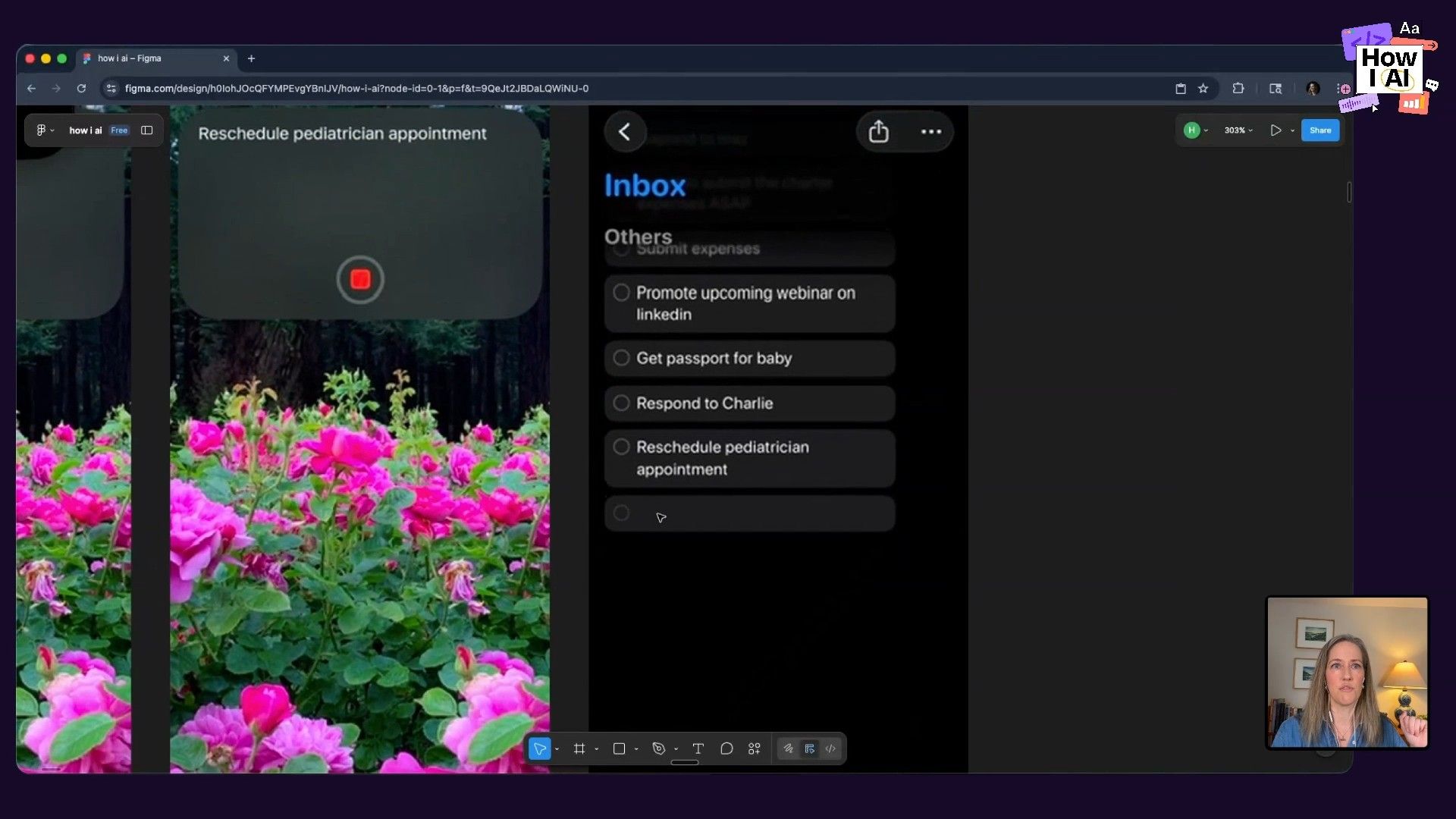
Now, she can just double-tap the back of her phone, say, "reschedule pediatrician appointment," and the task is captured without ever unlocking her phone. It completely removes the friction of getting things out of her head and into a system.
Step 2: Kicking Off the Day with Claude
With her tasks captured, Hilary opens the terminal on her computer. For anyone intimidated by this, she showed just how easy it is to get started. You open the Terminal app, install Claude Code with a single copy-pasted line, and you're ready.
Her daily process begins with a simple command:
plan my day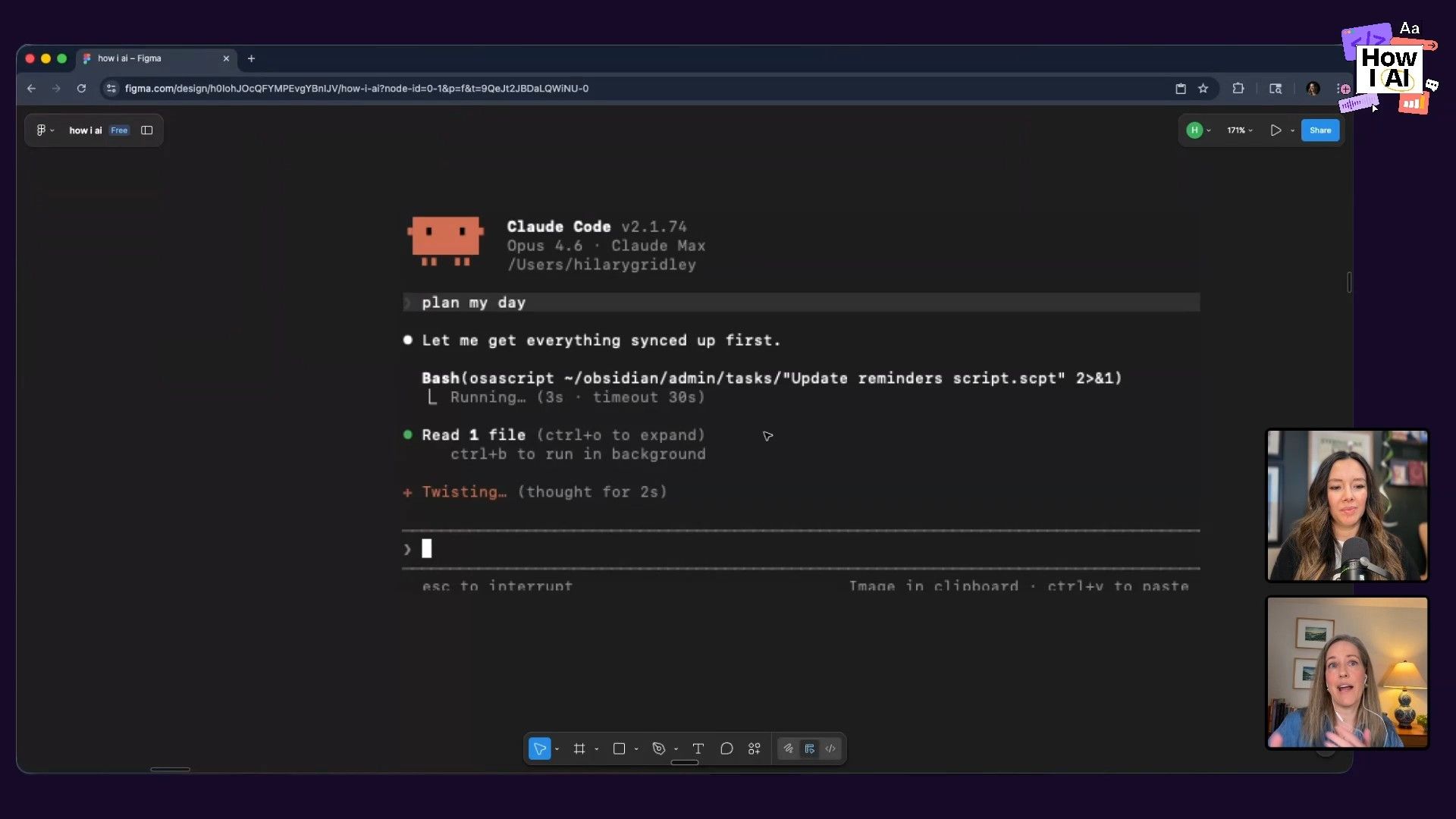
This command triggers a script that has Claude perform several actions:
- Review Reminders: It pulls from the list of tasks she captured with her phone shortcut. Hilary has Claude manage these in a simple markdown file within a dedicated folder.
- Consult Preferences: It reads a
preferences.mdfile that contains her scheduling constraints and work habits (e.g., pumping schedule, when she does her best work, not to schedule deep work right before bed). Critically, she never created this file herself. Claude built it by observing her over time. - Check Calendar: It pulls her existing appointments for the day to understand her commitments.
Step 3: Intelligent Task Breakdown
After gathering this context, Claude asks what she wants to accomplish. Hilary might say, "I definitely need to make progress on the baby passport." A simple to-do app would just list that. But Claude, having observed her behavior, knows that big, multi-step tasks like this are the ones she tends to procrastinate on.
So, it pushes back and breaks it down for her:
You are not doing the passport, you are just making the post office appointment. That's it. 10 minutes off your plate. Tomorrow you can gather documents and fill out the forms.
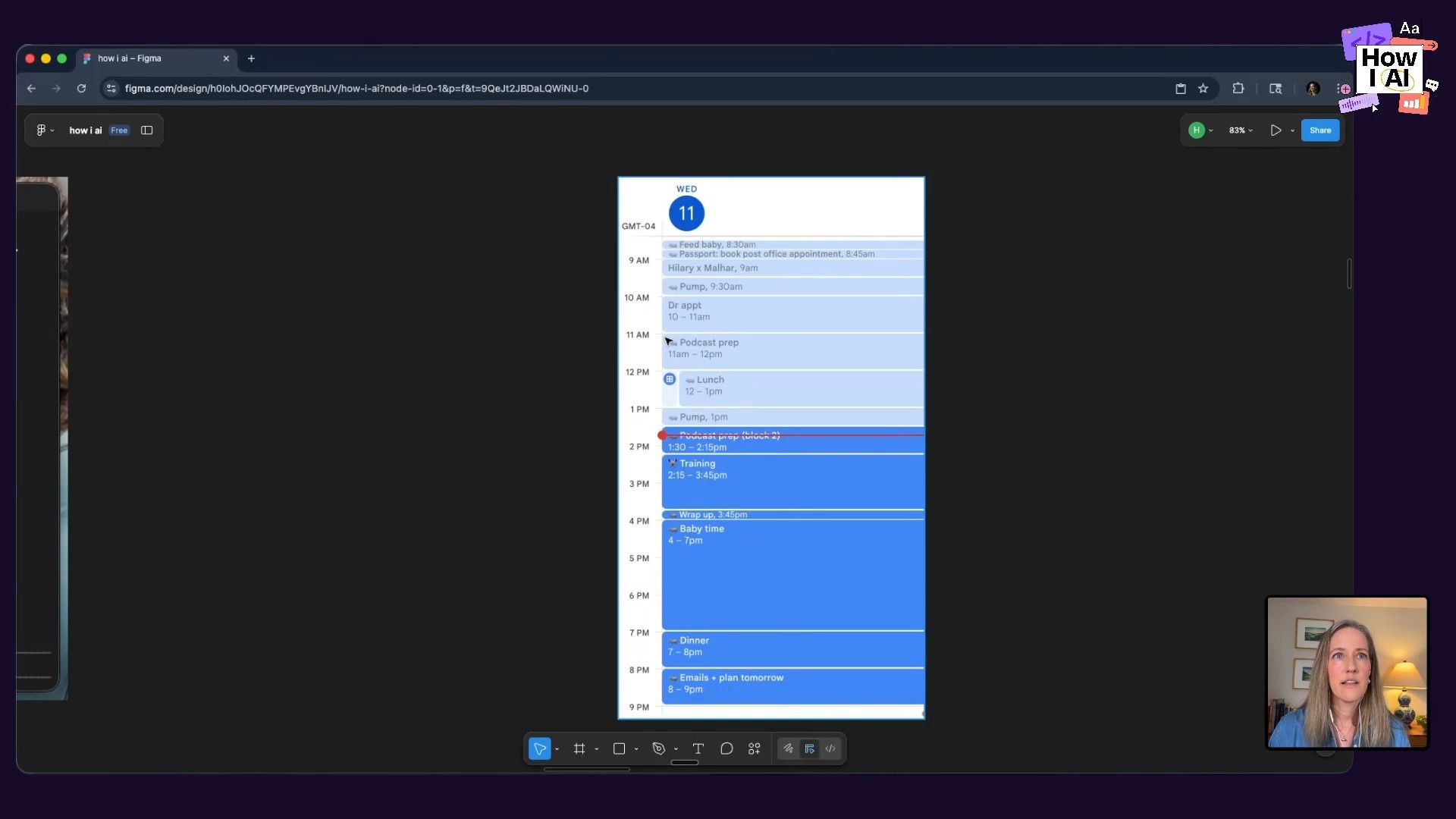
Claude then finds a 15-minute slot in her day and puts the task directly on her calendar. Hilary has it use a hippo emoji 🦛 for any event it adds, so she can easily distinguish AI-scheduled tasks. This is a perfect example of moving from a passive to-do list to an active, managed calendar.
Step 4: The "Yappers API" and Continuous Learning
How does Claude get smart enough to know her habits? Through what Hilary hilariously calls the "Yappers API." Instead of building complex integrations that track her every move, she just keeps the Claude terminal open and talks to it throughout the day.
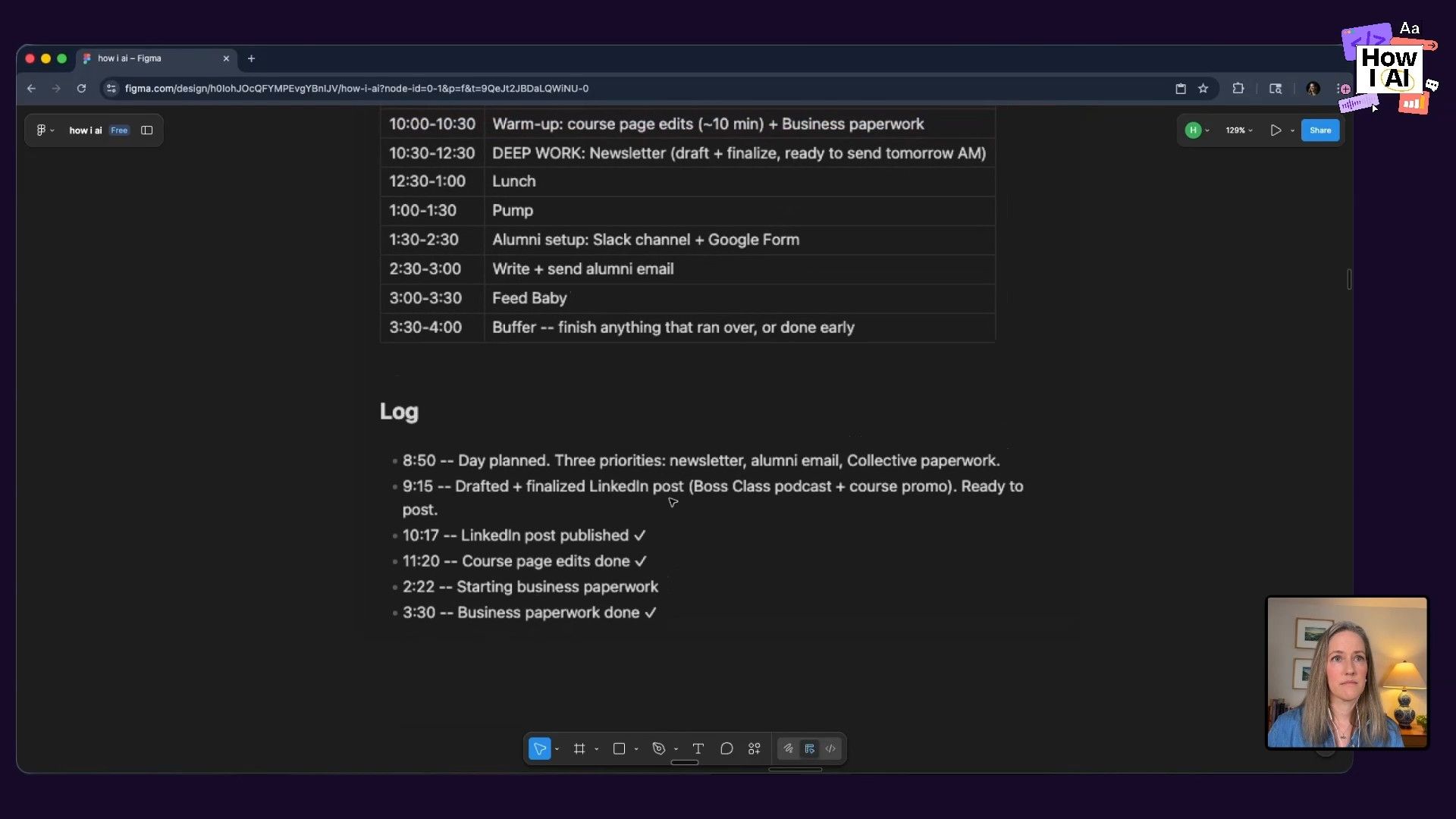
When she finishes a task, she'll just say something like, "Okay, I finished the draft for that blog post." Claude listens, observes, and logs her activity in a daily_note.md file. This file contains the day's planned schedule alongside a log of what she actually accomplished. At the end of the day, she can ask:
what are you seeing in terms of the gap between what I'm trying to get done and what I'm actually doing?
Claude might respond with insights like, "You say you have three priorities, but only number one gets real time," or "Building is crowding out writing." These observations are then used to automatically update her preferences.md file. The system learns and adapts every day, with zero maintenance from her. This feedback loop is the engine of the "anti-system system."
The 10x Impact Framework: How to Decide What to Automate
With the ability to automate almost anything, a new question arises: what should you automate? Hilary uses a simple but powerful framework to make this decision. For any given task, she asks:
If I were 10 times better at it, would it have 10 times the impact?
- If the answer is NO, automate it. These are tasks like scheduling appointments, formatting slides, or processing returns. Getting better at them yields diminishing returns.
- If the answer is YES, invest your human time and effort. These are the high-leverage activities unique to you. For Hilary, that's crafting a compelling narrative or coming up with new ideas. For me, it's preparing for and conducting these podcast interviews. These are the things that, if improved, can have a disproportionately positive impact on your work and life.
This framework also applies to personal joy. If baking a loaf of bread is a chore, automate it (or buy it!). If it’s a source of joy and enrichment, that's a 10x impact on your life, and you should protect that time. You can even apply this within a task. For giving a talk, the 10x impact comes from crafting the ideas and narrative, not from building the deck. So, she focuses on the former and automates the latter.
Workflow 2: Building a Claude Skill From a Simple Conversation
Hilary's approach to creating new automations follows her anti-system philosophy. She doesn't browse skill libraries or learn complex scripting. She just describes a problem to Claude in plain English.
Step 1: Start with a Problem Statement
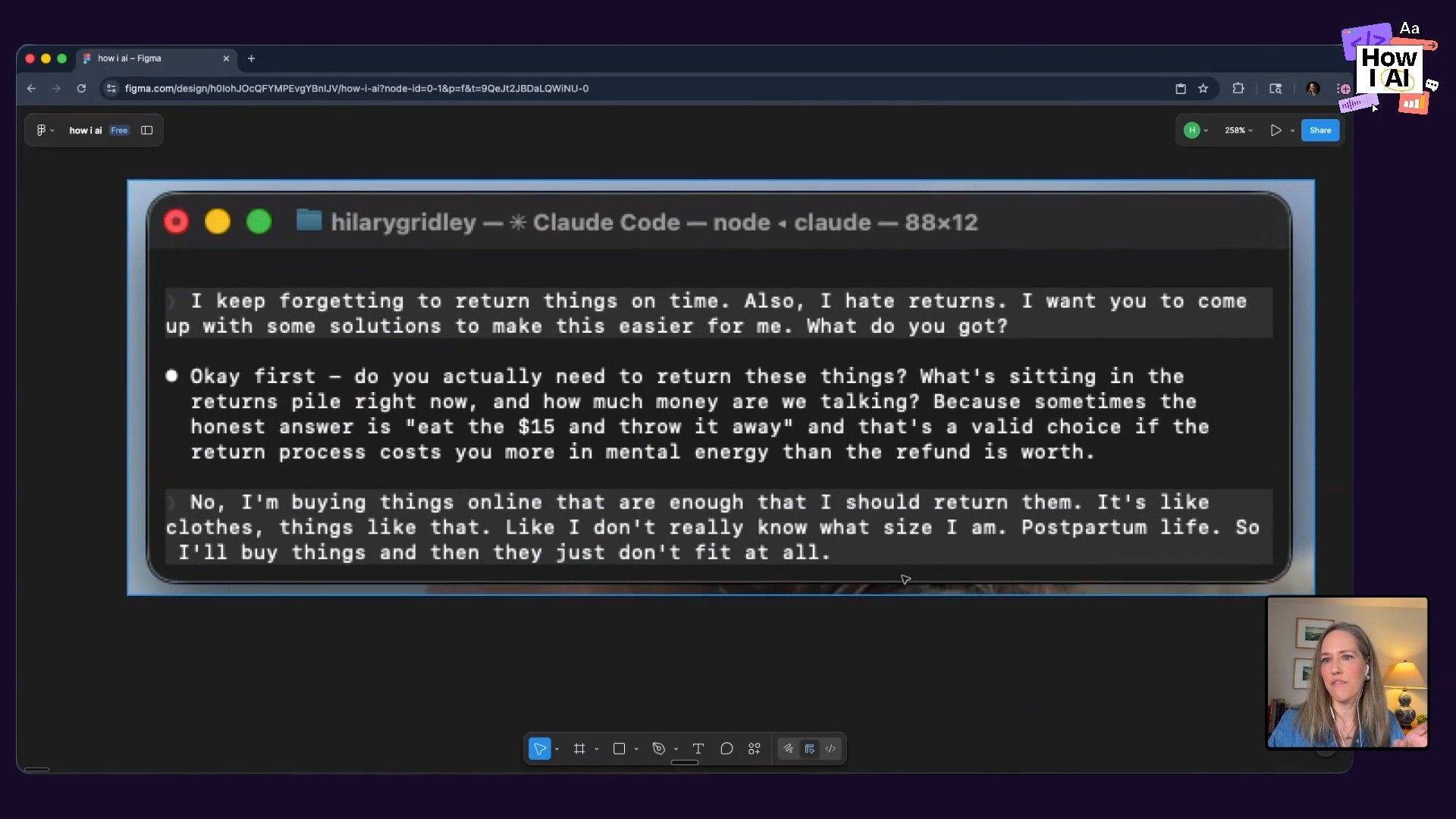
She was frustrated with missing return deadlines for online purchases. Instead of designing a solution, she just vented to Claude:
"Hey Claude, I keep forgetting to return things on time. Also, I hate them. Just have to get that off my chest. I want you to come up with some solutions to make this easier for me. What do you got?"
Step 2: Collaborative Refinement
Claude started by asking clarifying questions to understand the problem, acting like a product manager. It first suggested adding a reminder for everything she buys. Hilary pushed back, refining the idea: "I like your first idea, but I don't want to have to tell you what I ordered. Can't you just figure that out?"
This is a key move. By asking, "Can't you just do it?" or "What would have to be true for this to be yes?" she prompts Claude to think more ambitiously. Claude determined it would need access to her email to automatically see her order confirmations.
Step 3: Letting Claude Build
Once they agreed on the approach, Claude took over. It did all the work to create a new automation:
- It wrote a skill file: A markdown file with plain English instructions for the task.
- It wrote a script: The Python code needed to access her email, parse order confirmations, find the return window, and even look up retailer-specific return policies.
- It created a command: The entire workflow was packaged into a new command,
/returns.
Now, she has a custom skill that solves her exact problem, and she never wrote a line of code. It was all created through a simple, back-and-forth conversation.
Bonus Workflow: The "Recording On" Skill for Safe Demos
One of the most clever workflows Hilary showed me solves a problem I know all too well: how do you demo a personal AI system without exposing all your private information? Her solution is a skill called recording on.
When she types recording on, it tells Claude to operate in a special mode. The agent still pulls from all her real, live data files, but before it displays any output in the terminal, it anonymizes any personally identifiable information. It will change names, dates, or specific details, but it does so consistently (e.g., "Person A" always refers to the same real person). When she's done, she just types recording off.
This is a brilliant alternative to the painstaking process of creating a separate, sanitized demo environment. It's a perfect example of using AI to solve a micro-problem that has a huge impact on her ability to share her work.
Final Thoughts
Hilary’s session was a powerful reminder that using advanced AI tools doesn't have to be an exercise in complex system design. Her “anti-system system” is all about starting simple, reducing friction, and letting the AI do the heavy lifting of learning and adapting.
The key is to build the muscle memory of reaching for the AI in your computer to help you with small, everyday problems. You don't need a grand plan. Just start with a problem statement. As Hilary demonstrated, you can build incredibly powerful, personalized workflows just by talking through your frustrations. The tools are ready to help you manage the chaos; you just have to start the conversation.
A special thanks to our sponsors:
Episode Links
Where to find Hilary Gridley:
- Substack: https://hills.substack.com/
- Website: https://writerbuilder.com
Where to find Claire Vo:
- ChatPRD: https://www.chatprd.ai/
- Website: https://clairevo.com/
- LinkedIn: https://www.linkedin.com/in/clairevo/
- X: https://x.com/clairevo
Tools & References:
- Claude Code: The tool at the center of Hilary's workflows.
- Obsidian: The markdown editor Hilary uses.
- iPhone Shortcuts: For frictionless task capture.
- Cursor: An AI-first code editor.
- Figma File Demo'd: Find Hilary's diagrams and setup instructions at writerbuilder.com/howiai.


