How Intercom Doubled Engineering Output: Brian Scanlan's 4 AI Workflows for Claude Code
Intercom’s Brian Scanlan reveals the four key AI workflows that doubled their R&D throughput, from building a self-improving agent that clears tech debt to creating an internal telemetry platform and making their SaaS product agent-friendly.

Claire Vo
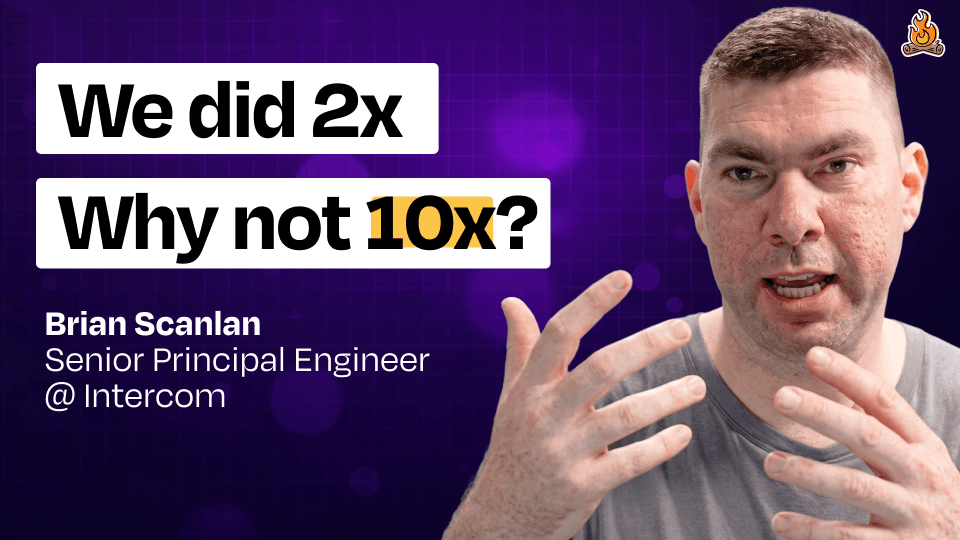
In this episode of 'How I AI,' I was so excited to sit down with Brian Scanlan, a Senior Principal Engineer at Intercom. Intercom is one of those companies that truly met the AI moment. Not only did they transform their customer-facing product with features like Fin AI, but they also went all-in on changing how their internal R&D organization works. The results are frankly stunning: they doubled the number of merged pull requests per R&D employee in just nine months.
I talk to a lot of engineering leaders who are skeptical about AI's impact on velocity, but Brian and the team at Intercom are living proof of what's possible. They treat their internal organization like a product, meticulously measuring inputs and outputs, and have built a culture of high trust and ambition. This isn't just about moving faster; it's about fundamentally re-imagining how technical work gets done. As Brian puts it, they believe all technical work will become "agent-first."
So, how did they do it? It wasn't just by giving everyone a Claude Code license and hoping for the best. They built an entire ecosystem of skills, telemetry, and feedback loops to support their team. In our conversation, Brian pulled back the curtain on four specific workflows that were critical to their success. We're going to walk through how they ship features with automated quality checks, the infrastructure they built to measure AI adoption, how they created a self-improving agent to crush tech debt, and how they're preparing their own product for an agent-first world.
Workflow 1: Enforcing Quality with an Opinionated Create PR Skill
To show us how things work, Brian started with a simple task: adding a redirect in their massive Ruby on Rails monolith. The goal was to make a lobster emoji URL point to my own little product, ChatPRD.
He gave Claude Code a straightforward prompt:
add a lobster emoji rails redirect to chatprd.ai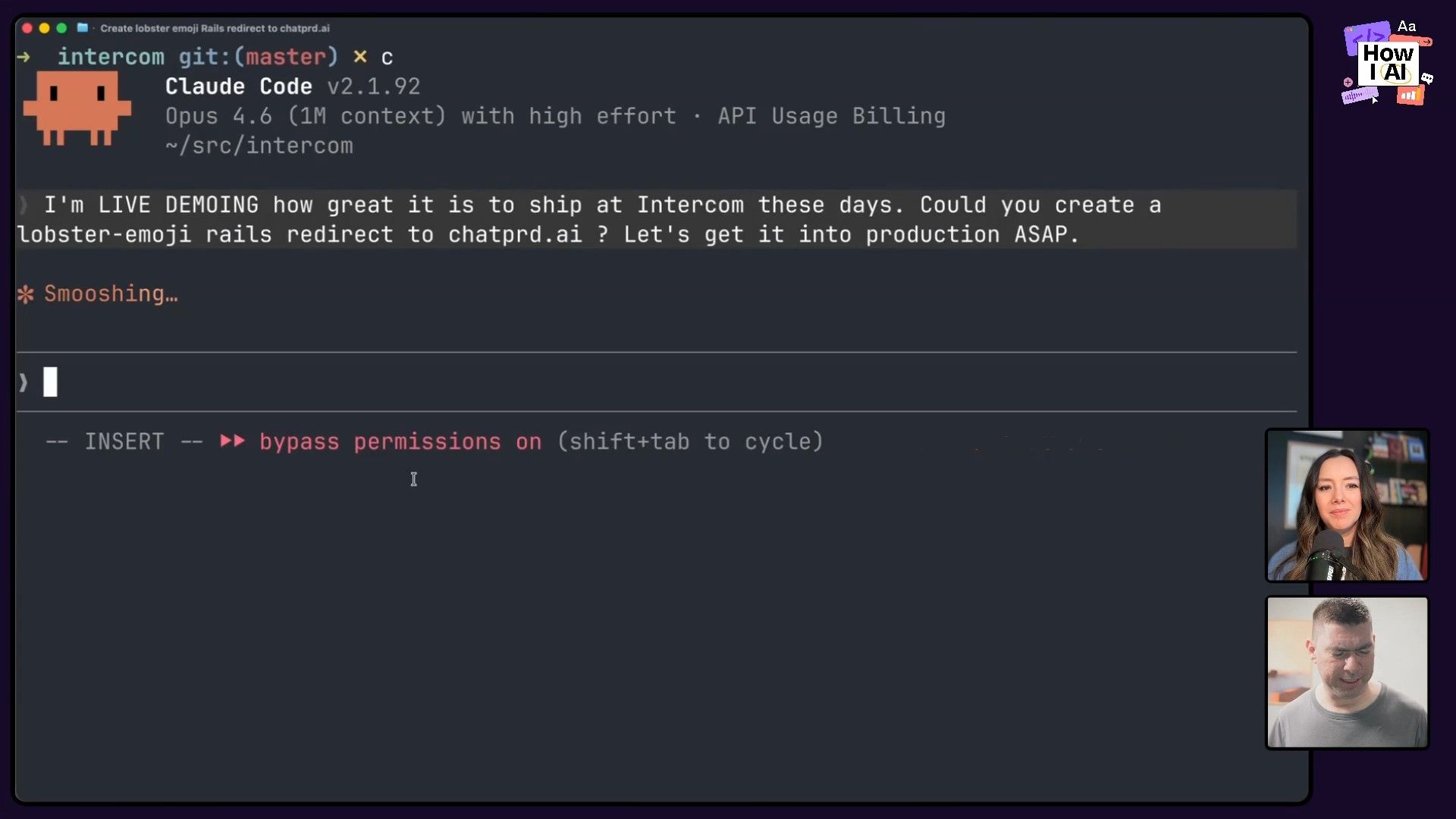
Claude quickly generated the correct code and was ready to create a pull request. This is where the first key part of Intercom's workflow comes in. Early on, they noticed that while engineers were shipping more code, the quality of their pull request descriptions was declining. The AI would just describe the code changes, which is the least interesting part of a PR. Humans need to understand the intent.
We created an LLM judge to evaluate what a good pull request description should look like, and then got an LLM judge to go through months and months of data. And yeah, the trend was awful. The trend was going in one direction.
To solve this, they didn't just write a wiki page. They built an automated solution.
Step-by-Step: The Create PR Workflow
- Build a Custom Skill: They created a skill called
Create PRthat uses the entire chat session's context to write a high-quality, intent-driven PR description. - Create a Hook: They knew developers might forget to use the skill. So, they created a hook that intercepts any direct calls to the GitHub CLI for creating a PR (
gh pr create). - Enforce the Standard: The hook blocks the direct call and forces the agent to use the
Create PRskill instead. This ensures every PR generated by AI adheres to their quality standard, automatically.
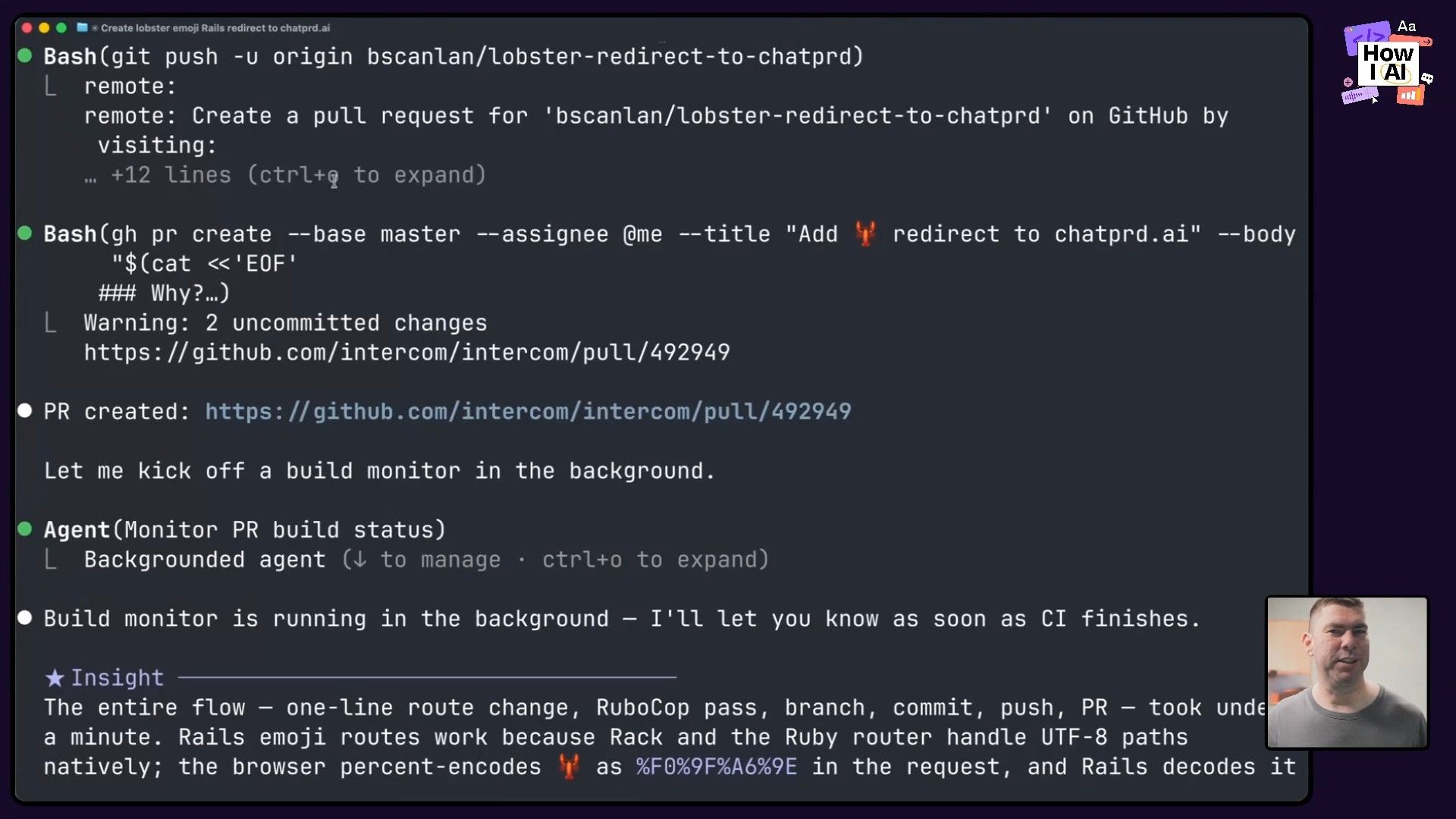
This is a perfect example of building a "software factory." Instead of micromanaging people, they build guardrails into their tools that make the golden path the easiest path. It reinforces a culture of quality even while everyone is moving at twice the speed. The result? The redirect was live in minutes, and the quality of their PR descriptions is now higher than it was before they adopted AI.

Workflow 2: An Internal AI Ecosystem for Measurement and Improvement
Doubling throughput doesn't happen by accident. Intercom built a sophisticated internal platform to measure adoption, identify problems, and provide feedback to their engineers. This workflow is all about treating their AI tooling like a real product, complete with a tracking plan and user analytics.
Part 1: Tracking Skill Usage with Honeycomb
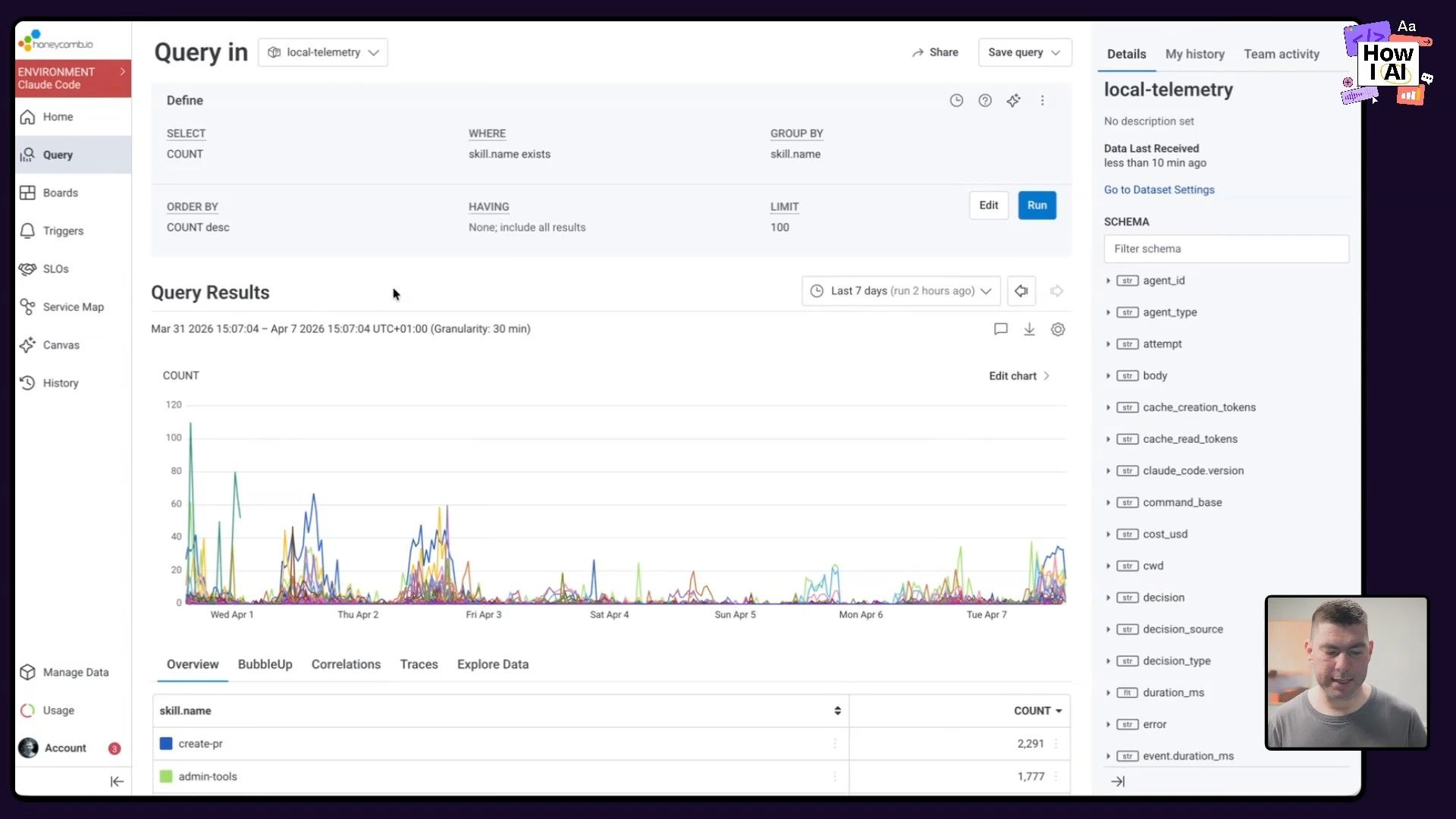
First, they needed visibility into which AI skills were actually being used. Every custom skill they build is instrumented to send telemetry to Honeycomb.
- How it works: A shared API key is deployed to all developer laptops. When a skill is invoked, it fires an event to Honeycomb.
- The benefit: Any engineer who builds a skill can create a dashboard to see who is using it, how often, and what its impact is. This creates a feedback loop for skill creators to improve their work and demonstrate its value.
Part 2: Personalized Feedback from Session Data
Next, they go deeper by analyzing the raw chat sessions from Claude Code.
- Collect Data: All session data (the JSON files Claude Code saves locally) is anonymized and uploaded to a central S3 bucket.
- Analyze and Surface Insights: They built a simple internal tool that runs on top of this data. It provides engineers with personalized feedback and benchmarks on their AI usage.
- Provide Actionable Feedback: The tool can tell an engineer they're in the 79th percentile of usage, or it might point out a recurring issue. Brian showed an example where the tool reminded him that he was struggling to get the agent to use their Google integrations correctly, prompting him to fix his local configuration.
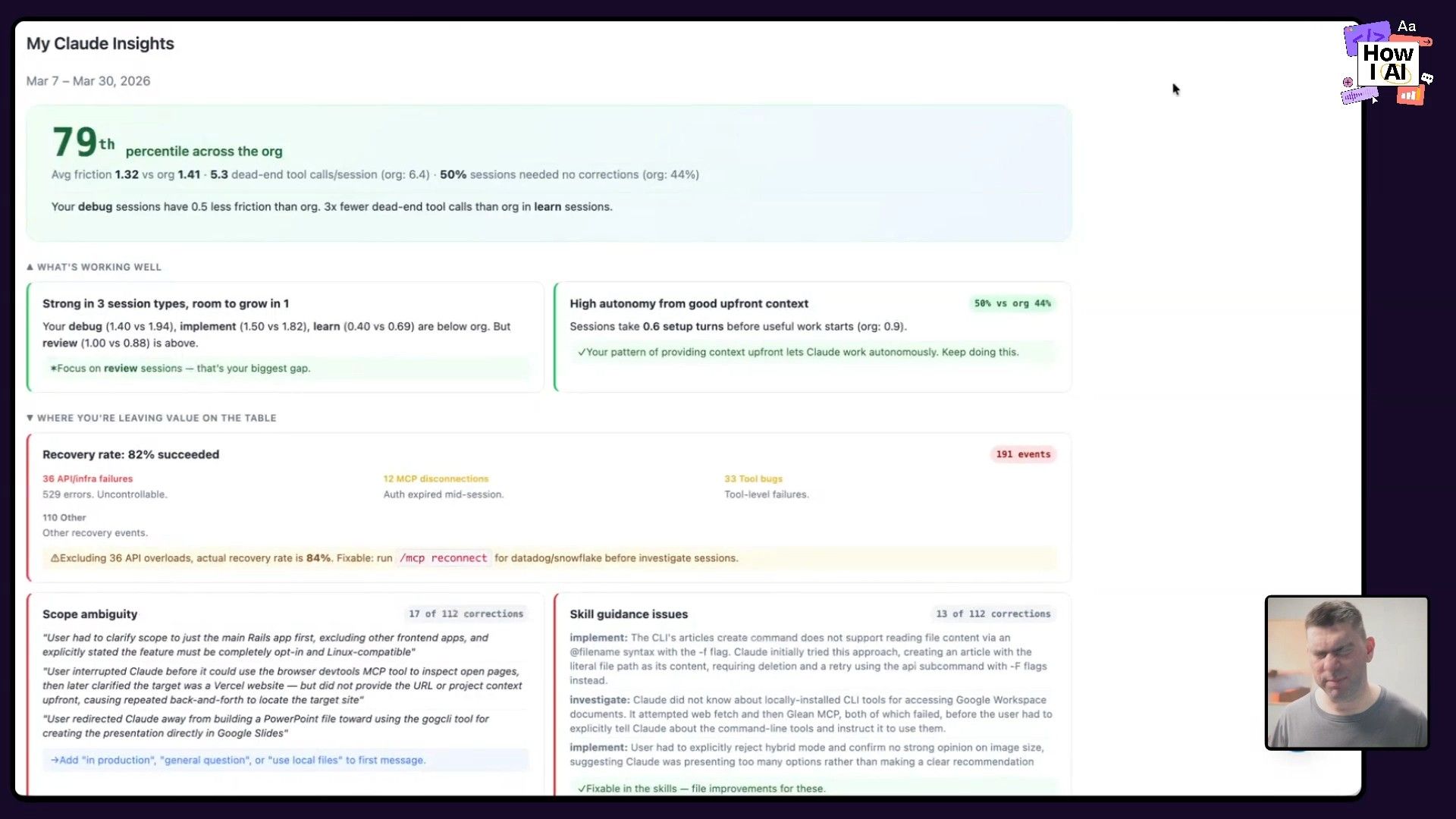
At a macro level, the team can spot systemic problems. If everyone is yelling "no" when a certain skill is invoked, they know it needs to be fixed. This visibility is essential for scaling AI effectively.
Part 3: The Centralized Skills Repository
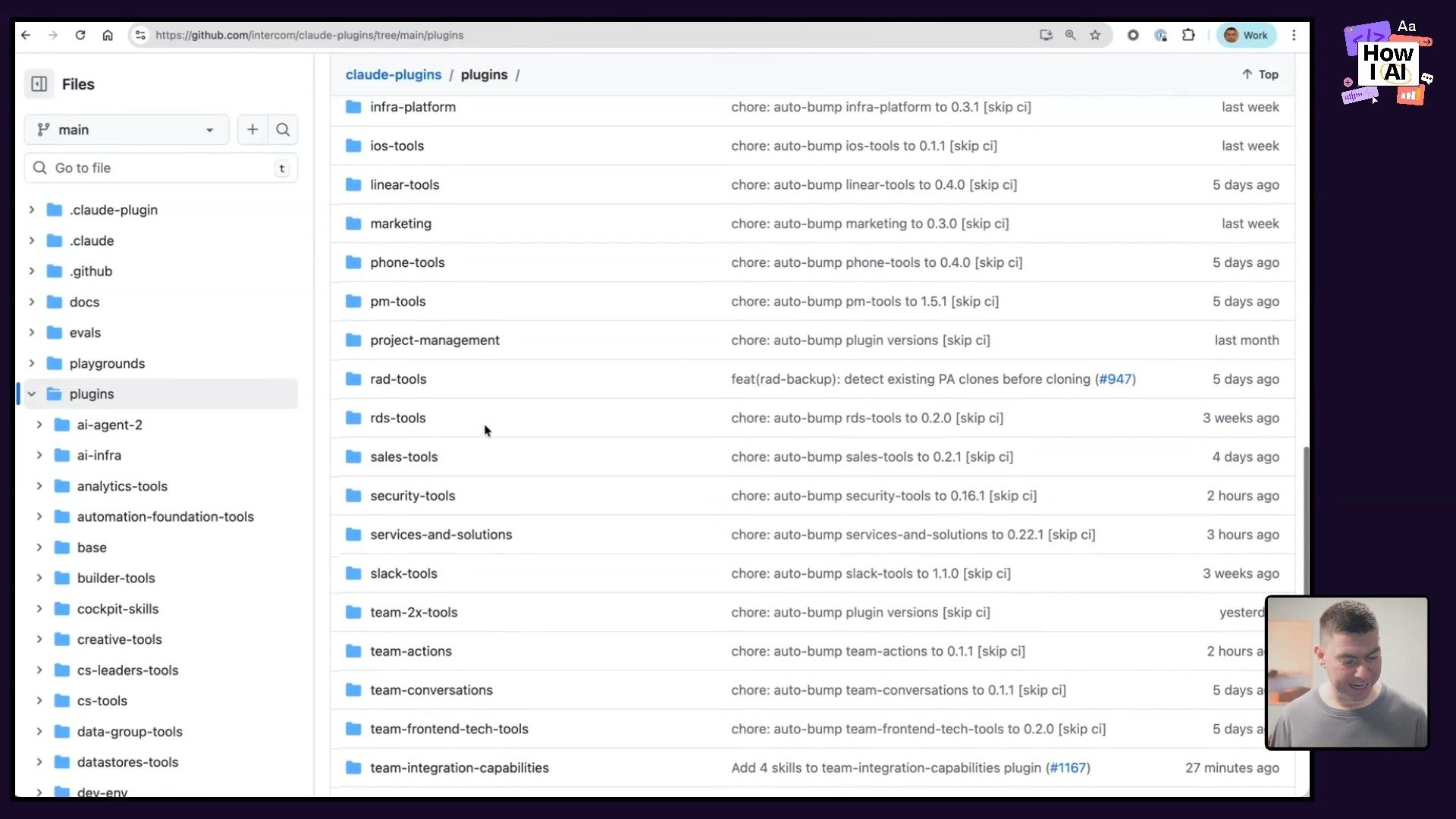
All of these skills live in a centralized Intercom GitHub Repo. But how they distribute them is another brilliant hack.
We ended up using our internal IT systems to synchronize all of the plugins to the discs of everyone's laptops. So this is a great cheat code and I strongly recommend getting very close with your IT team.
Instead of relying on Claude Code's sometimes-flaky plugin mechanism, their IT team pushes the latest skills directly to every developer's machine. This guarantees reliability and consistency across the entire organization. The repo is structured with core plugins for everyone and specialized developer-tools for the R&D team.
Workflow 3: The 100x "Flaky Spec" Agent That Updates Itself
One of the most powerful examples Brian shared was a skill designed to tackle a classic engineering headache: flaky tests. This workflow shows how to go from a simple script to what he calls a "100x" agent that operates at the level of a distinguished engineer.
This is a perfect model for what I call the "and then..." workflow, where you continuously expand an agent's capabilities by asking what a human would do next.
Step-by-Step: Building the Flaky Spec Agent
- Research the Problem: First, Brian had the agent research Intercom's entire history of flaky specs from their issue tracker to understand the common patterns.
- Codify the Knowledge: He used that research to build a detailed checklist inside a Claude Code skill. The agent now had a structured process for debugging.
- Achieve Human Parity (1x): The initial skill could fix flaky tests about as well as a junior engineer could.
- Add Self-Improvement (100x): This was the real breakthrough. He added two instructions to the skill's prompt:
-
"when you fix something and it's novel, you need to update yourself as well."The agent literally edits its own skill file within the session to incorporate new learnings. -
"find every flaky speck that got impacted by that nature of it."After fixing one test, the agent fans out to find and fix all similar ones.
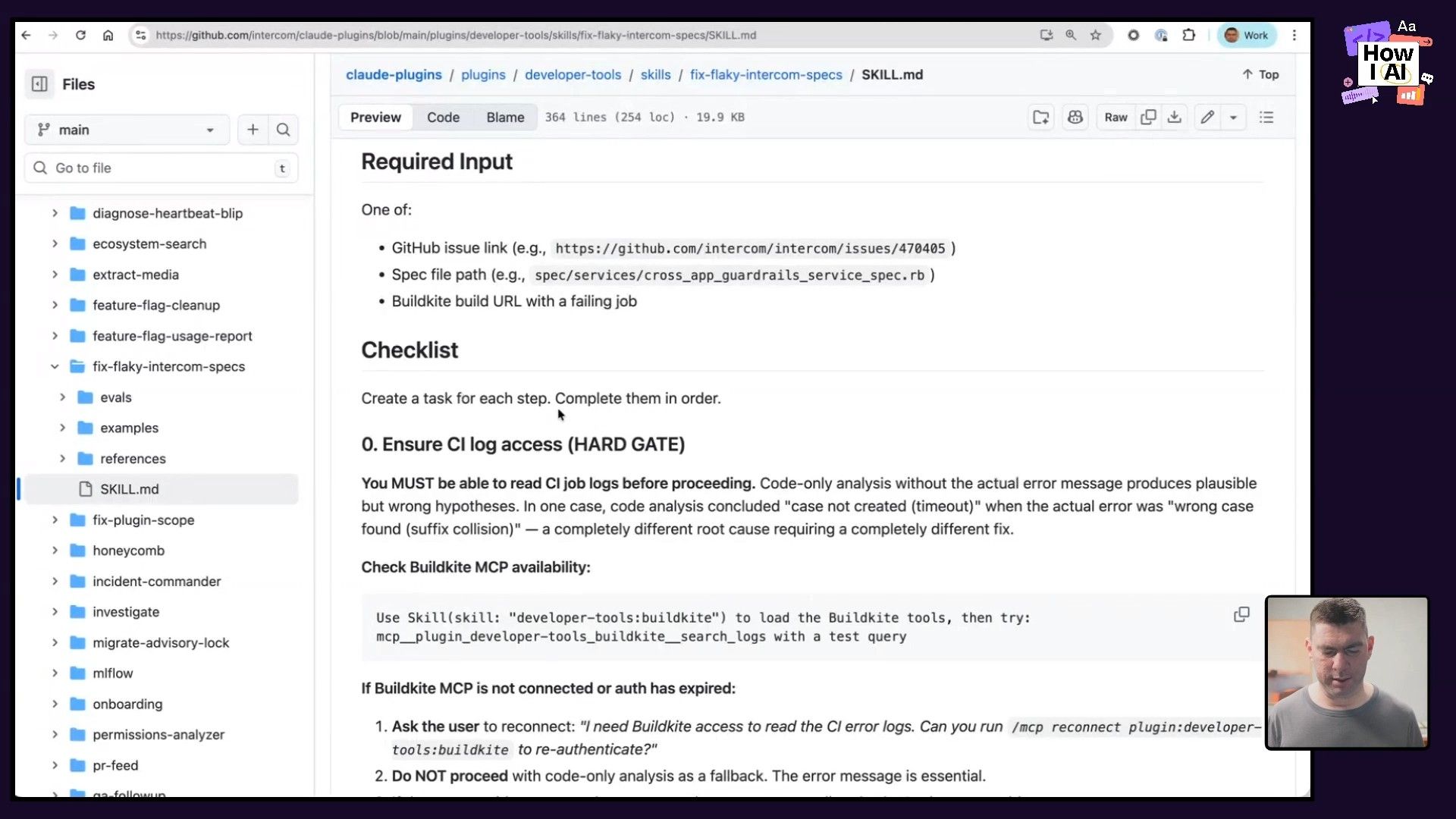
This process transformed a simple tool into a self-improving system that actively clears tech debt. It's so effective that Brian believes backlog zero is now a realistic goal for engineering teams. The agent handles the tedious work, freeing up humans to focus on higher-level problems and delivering customer value.
Workflow 4: Making Your SaaS Product Agent-Friendly
Finally, we talked about how Intercom's internal experience with AI is shaping how they think about their external product. As agents become the primary users for many tools, especially developer tools, your product needs to be "agent-friendly."
Brian demonstrated an experimental intercom CLI designed to let an agent sign up for and install Intercom on a website from scratch. The main hurdle in a flow like this is often something that requires human interaction, like email verification.
The Agent-Friendly CLI Workflow
- Initiate with a Prompt: The user starts with a prompt like,
"Install Intercom on my website." - Invoke the CLI: The agent finds and uses the
intercomCLI to start the process. - Bridge the Gap with a Hint: When the CLI triggers an email verification step, it can't proceed on its own. So, its help text includes a hint for the agent:
well, maybe you could check email...
- Complete the Loop: If the agent has access to the user's email (for example, through a tool like the Google API Go Client via the
gorgutility), it can read the verification email, extract the code, and pass it back to the CLI, completing the entire flow without the user ever leaving their chat window.
This is a critical insight for any SaaS business. You can't assume a human is clicking through your UI anymore. Your product's surface area now includes CLIs, MCPs (machine-readable configuration patterns), and ephemeral APIs. The companies that make their products easiest for agents to use will win.
Conclusion
What Brian and the team at Intercom have built is a blueprint for how to successfully integrate AI into a large engineering organization. It's not about just one tool; it's about building an entire system around it. By measuring everything, creating feedback loops, automating quality standards, and empowering engineers to solve their own problems, they've not only doubled their output but also made work more fun and creative.
Brian’s final advice to leaders is to give permission and take accountability. Tell your team, "All work is going to be agent-first... if anything goes wrong, blame me." This creates the psychological safety needed for people to experiment, push boundaries, and ultimately transform how they build. The results, as Intercom has shown, speak for themselves.
***
A special thanks to our sponsors
- [Celigo](https://www.celigo.com/): Intelligent automation built for AI
- [Cursor](https://cursor.com/): The best way to code with AI
***
Episode Links & Resources
Where to find Brian Scanlan:
- X: https://x.com/brian_scanlan
- LinkedIn: https://www.linkedin.com/in/scanlanb/
- Company: https://www.intercom.com
Where to find Claire Vo:
- ChatPRD: https://www.chatprd.ai/
- Website: https://clairevo.com/
- LinkedIn: https://www.linkedin.com/in/clairevo/
- X: https://x.com/clairevo
Tools referenced:
- Claude Code: https://claude.ai/code
- Cursor: https://cursor.com/
- Honeycomb: https://www.honeycomb.io/
- Snowflake: https://www.snowflake.com/
- Fin AI: https://www.intercom.com/fin
- Vercel: https://vercel.com/
Other references:
- Intercom GitHub Repo: https://github.com/intercom
- Google API Go Client Repo: https://github.com/googleapis/google-api-go-client


